CUSTOMER RELATIONSHIP MANAGEMENT (A COMPLETE CRM SYSTEM)
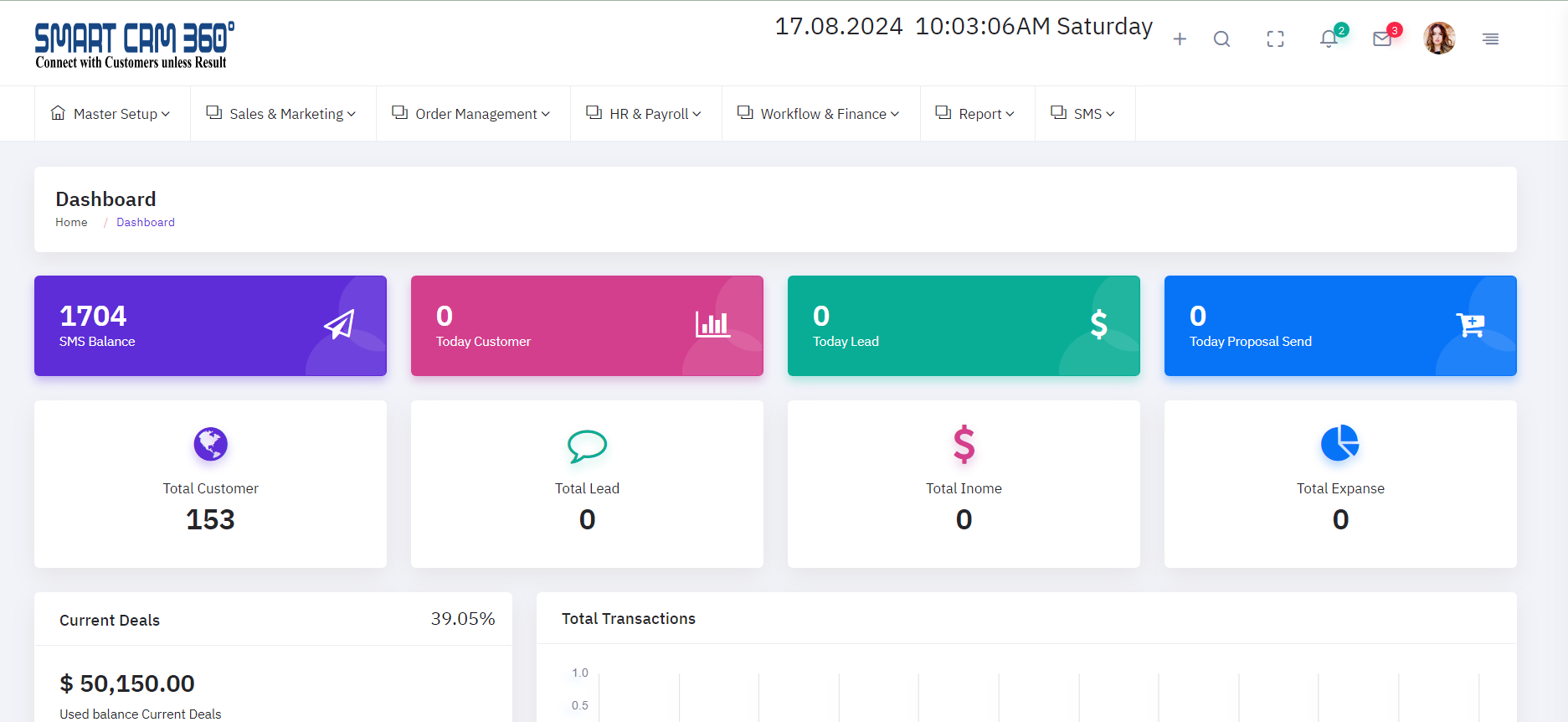
About CUSTOMER RELATIONSHIP MANAGEMENT
Customer Relationship Management (CRM) for office management simplifies daily operations by centralizing client interactions, boosting communication, and increasing productivity. Businesses that integrate CRM into their office administration can more efficiently track and manage customer information, organize meetings, and follow up on projects. This system records every customer interaction, providing a complete picture of each client's history, preferences, and wants. CRM technologies also promote improved communication among team members, ensuring that everyone is on the same page when it comes to client-related activities. CRM enables office managers to automate common tasks such as sending reminders and generating reports, saving time and reducing errors. Overall, a properly integrated CRM system can lead to higher client satisfaction, better time management, and a more organized office.
Why is Client Relationship Management used?
Client Relationship Management (CRM) is critical for businesses because it manages and analyzes client interactions over the entire customer lifecycle. CRM solutions are intended to streamline procedures and improve customer service, resulting in higher customer happiness, retention, and revenue growth.
Master Setup
Sales & Marketing
Order Management
HR & Payroll
Workflow & Finance
Report
SMS
Server requirement
Server
Our file is compatible with any Apache.
Any other server is NOT officially supported, and we CANNOT assist with any server configuration if your server runs anything other than Apache.
PHP Version
Requires PHP from v7.4.
Although PHP v7.4 can be used with CRM but later if you face any issues, the first thing which we would suggest over support ticket to you will be to fall back to PHP v7.4 as that's the only Officially support PHP version.
PHP Extensions
- OpenSSL PHP Extension
- PDO PHP Extension
- Mbstring PHP Extension
- Tokenizer PHP Extension
- XML PHP Extension
- Ctype PHP Extension
- JSON PHP Extension
- ZIP PHP Extension
- FileInfo PHP Extension
- BCMath PHP Extension
- ionCube Loader PHP Extension
- GD PHP extension
Consider enabling the OpCache PHP Extension for improved performance. It is optional but encouraged.
Laravel Version
Requires Laravel from v8.75
Although Laravel v8.75 can be used with CRM but later if you face any issues, the first thing which we would suggest over support ticket to you will be to fall back to Laravel v8.75 as that's the only Officially support Laravel version.
Laravel Extensions
- Laravel blade snippets
- Laravel snippets
- Laravel Artisan
- Laravel Extra Intellisense
- Laravel goto view
- laravel-jump-controller
- laravel-goto-components
- Laravel Blade formatter
- Laravel Create View
- Laravel Blade Wrapper
- DotENV
- DevDb
Database MySQL
In a CRM application, the MySQL database is critical for maintaining and organizing vital data such as products, sales transactions, inventory, customers, and workers. The database typically contains tables for storing product information (such as product ID, name, barcode, price, and stock levels), transaction records (details of each sale, including items sold, quantities, and total amounts), customer data (for tracking purchases and loyalty programs), and employee records (for managing roles and permissions). Additionally, the database allows for real-time inventory updates as sales occur, assuring proper stock management. MySQL's relational structure and indexing features enable efficient querying and reporting, allowing the CRM system to swiftly retrieve and process data, resulting in smooth and accurate operations.
Company Information Manage
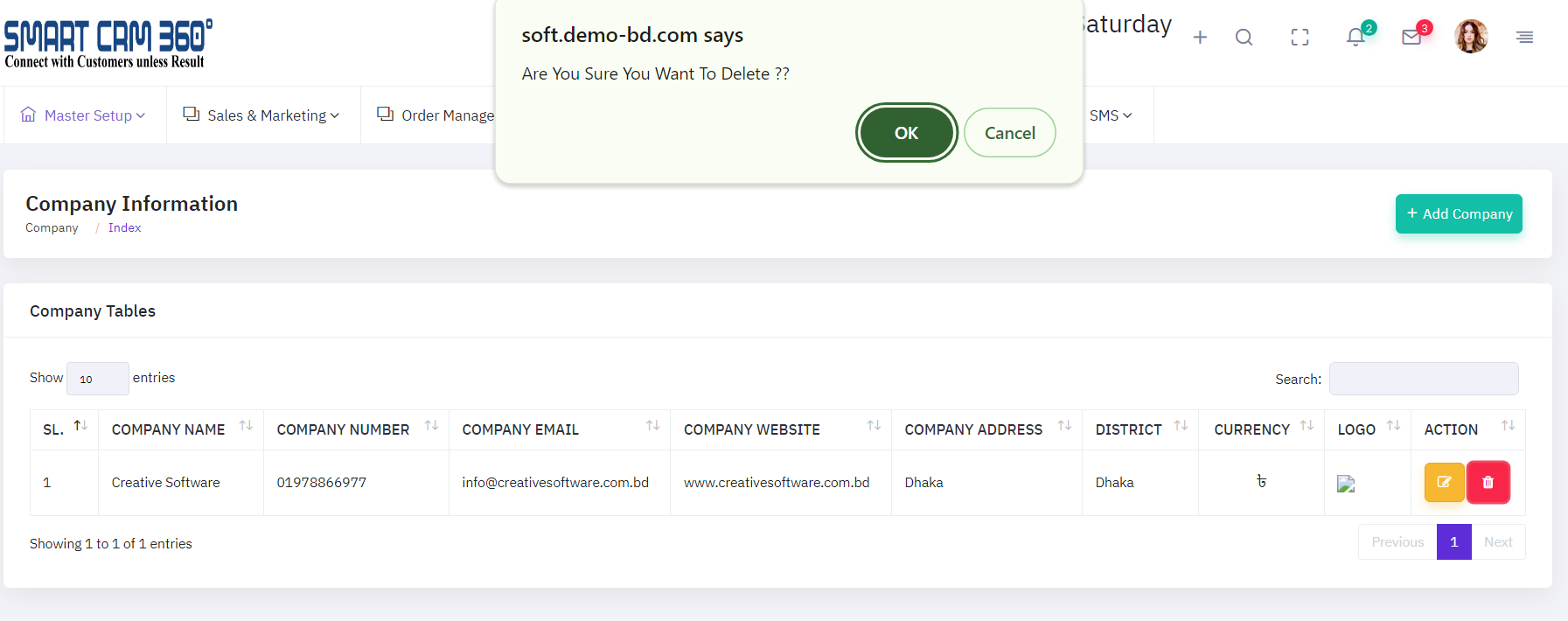
This module contains a thorough list of all companys and their information within the application.Each company's information can be viewed and managed using the table list view. To assist revisions, a "EDIT" symbol is displayed next to each company entry, allowing authorized users to easily modify and update company information. The system also contains an company role feature, which allows you to designate specific duties to each company. Admin users may manage these responsibilities and make changes to company information easily, ensuring that any adjustments are handled flawlessly inside the program. This functionality improves administrative control over personnel data and role assignments, resulting in a more structured and secure management process.
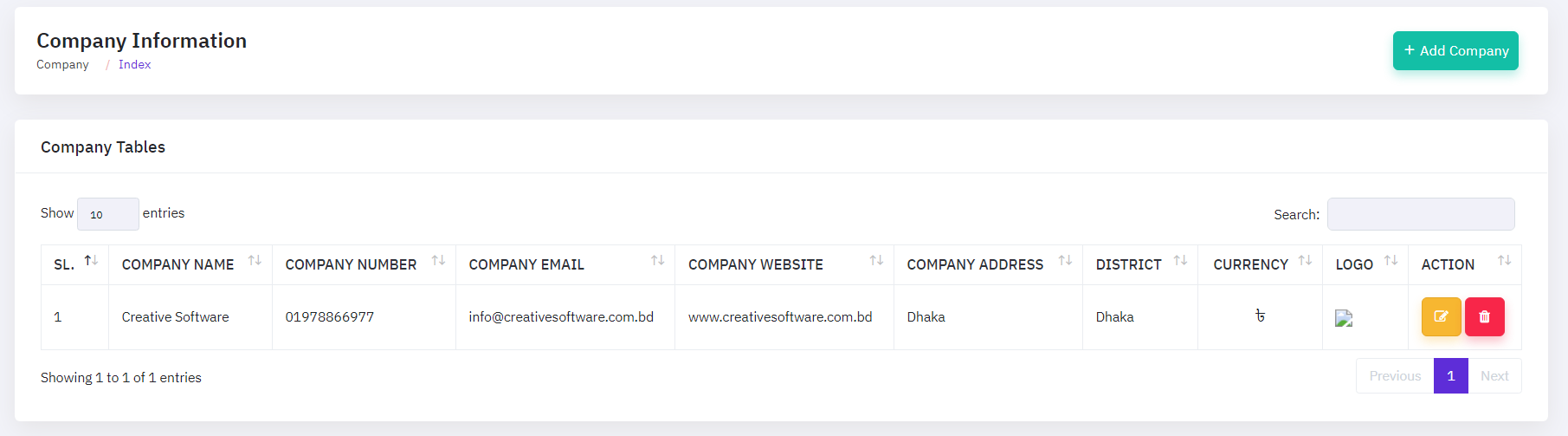
To modify an company, click the "EDIT ICON ", which will open a new popup window. On that form, enter the update details and then click the update button.
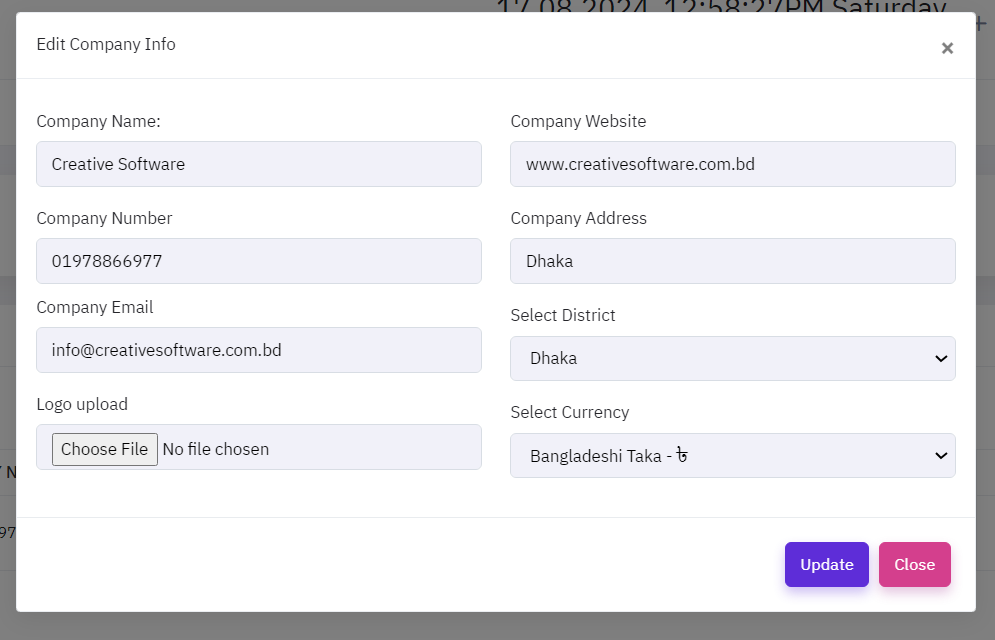
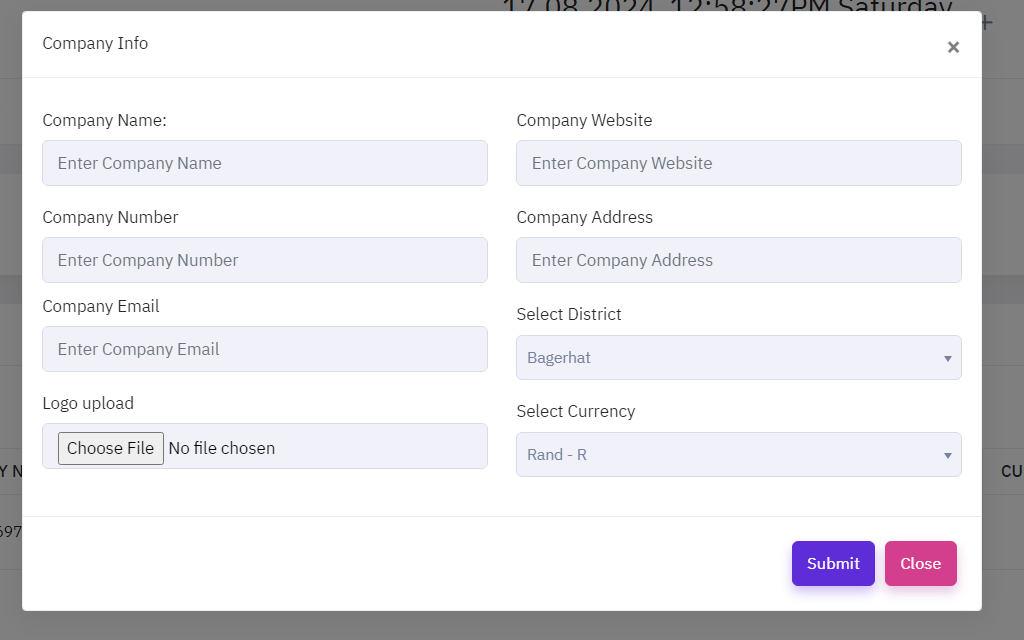
To add a new company, click the "REFISTER company" button, which will open a new popup window. On that form, provide the necessary information about the company, such as company name, company number,company email, logo upload, company website, company address, select district, and select currency, as well as if the company is currently active or inactive.
To delete a company, click the "delete" icon, which will open a new message. On that, click the ok and delete done.
Role Management
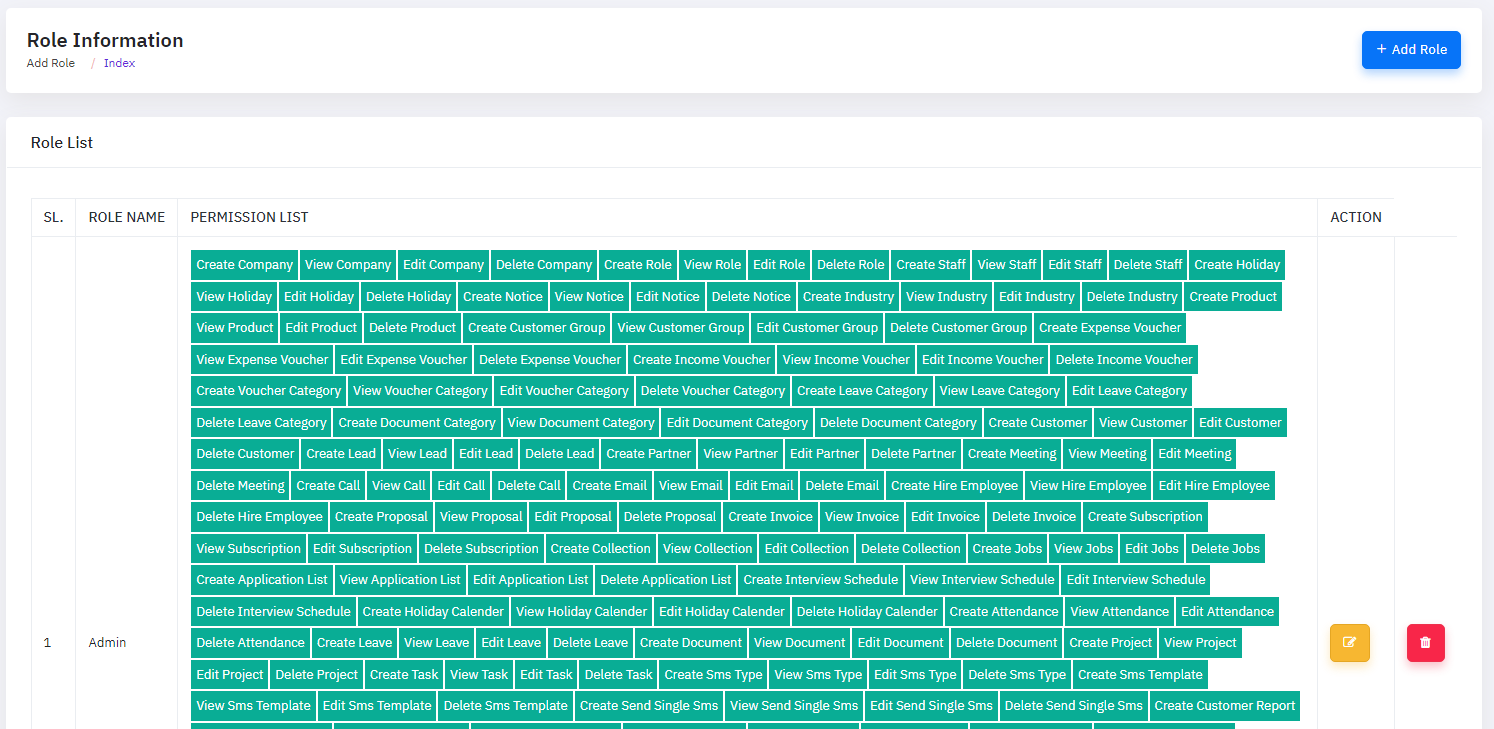
The application includes a comprehensive Role Management module, enabling administrators to efficiently manage all employee roles within the system. This module provides a detailed list of all roles, with corresponding information securely stored in the database. Administrators can easily create new roles by inputting the necessary details into the system. Additionally, the module features a "EDIT" icon in the table list view, allowing administrators to update and modify existing role information as required. This ensures that the role data remains accurate and up-to-date, reflecting any changes in employee roles.
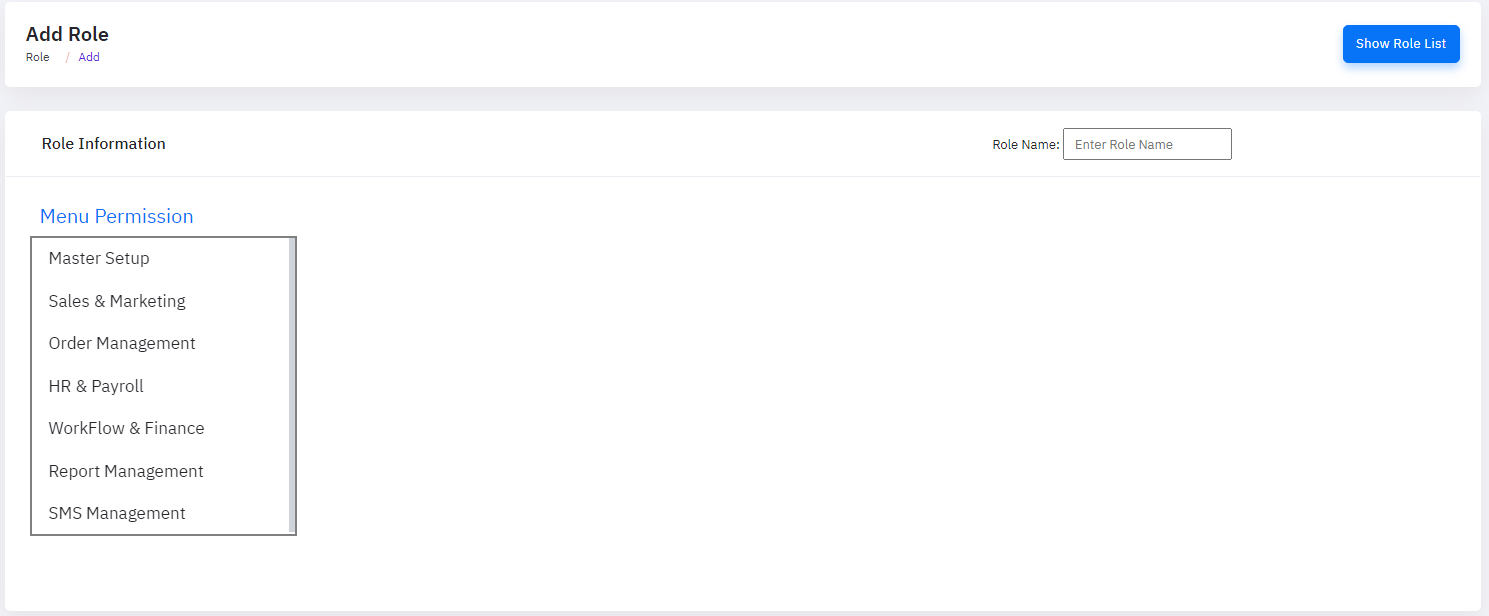
To add a new role, click the "Add Role" button, which will open a new window. In this form, provide the essential details about the role, including the role name, description, and any associated permissions. Additionally, specify the status of the role, indicating whether it is currently active or inactive. This ensures that new roles are properly configured and integrated into the system and edit and delete same to company information manage.
Staff Management
The CRM software's personnel Management module allows administrators to properly oversee and manage personnel profiles. This module includes a comprehensive list of all staff members and their associated information, which is securely maintained within the system. Administrators can quickly add new staff members by entering their details into the module. In addition, the table list view includes a "EDIT" icon, which allows administrators to change and amend current staff profiles as needed and delete icon is used for delete staff information. This functionality guarantees that the personnel database is correct and up to date, reflecting any changes in employee information.
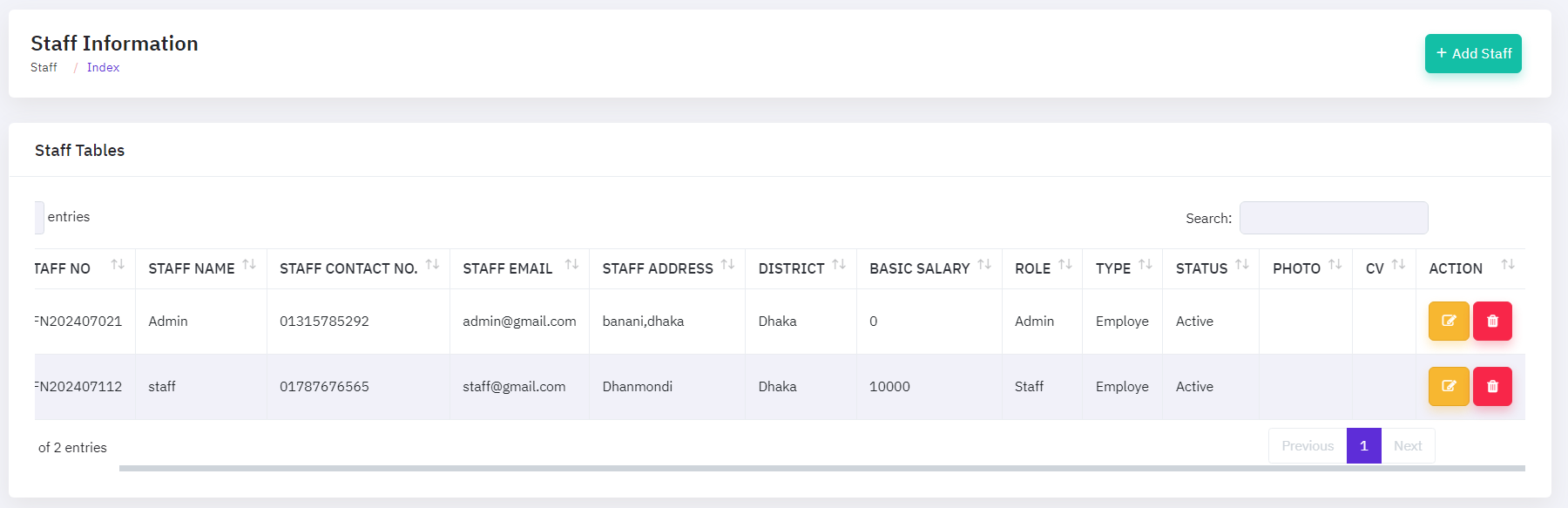
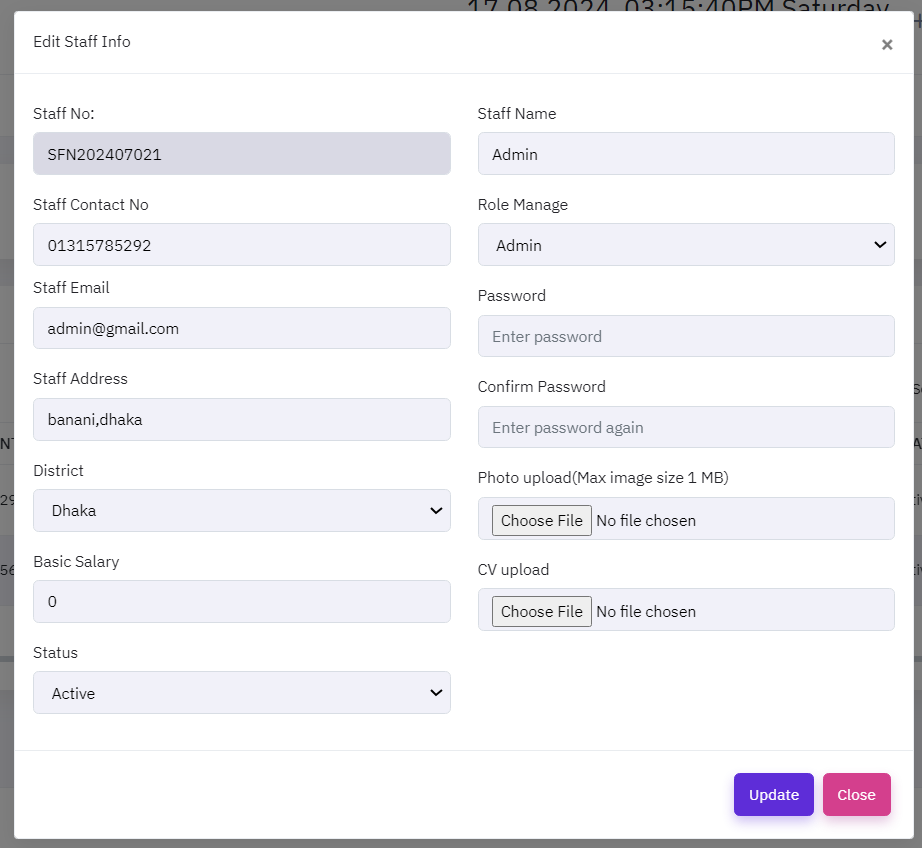
To modify a staff, click the "EDIT ICON ", which will open a new popup window. On that form, enter the update details and then click the update button.
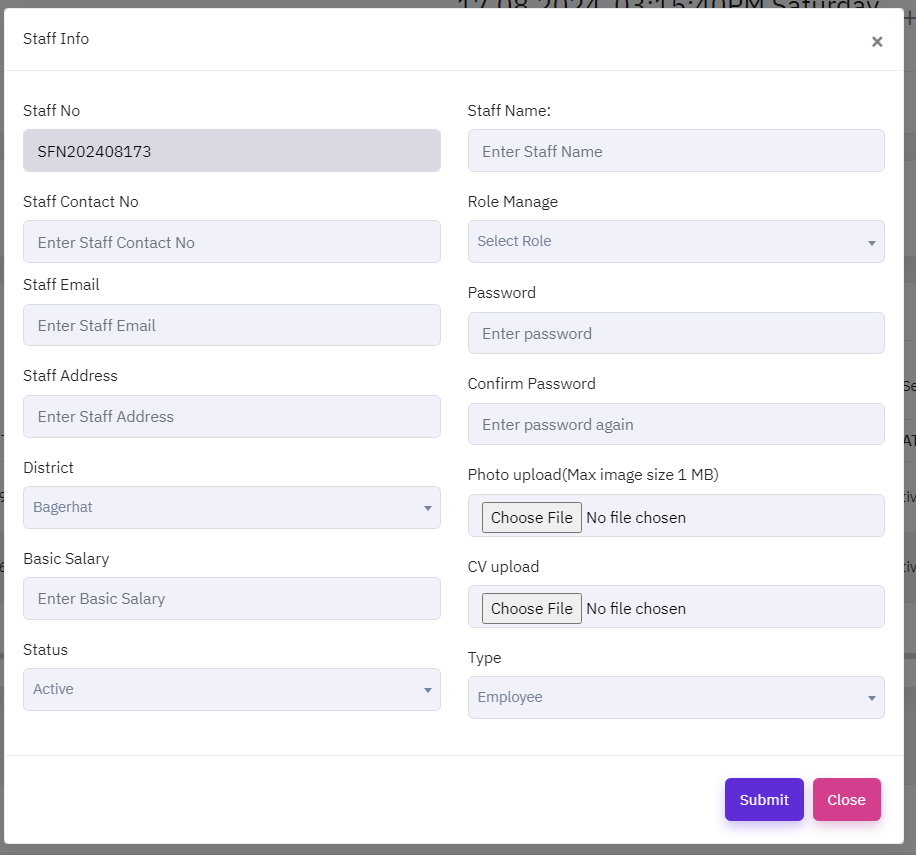
To add a new staff, click the "Add staff" button, which will open a new popup window. On that form, provide the necessary information about the staff, such as their name, mobile number,address and balance, as well as if the staff is currently active or inactive.
Industry Management
The CRM software's Industry Management module enables administrators to properly oversee and handle industry-specific data. This module includes a full list of all industries and their pertinent information, which is safely saved within the system. Administrators can quickly create new industry listings by adding the required information into the module. Furthermore, the table list view includes "EDIT" and "DELETE" icons, which allow administrators to alter or delete existing industry entries as needed. This feature keeps the industry database accurate and updated, reflecting any modifications or changes in industry information.
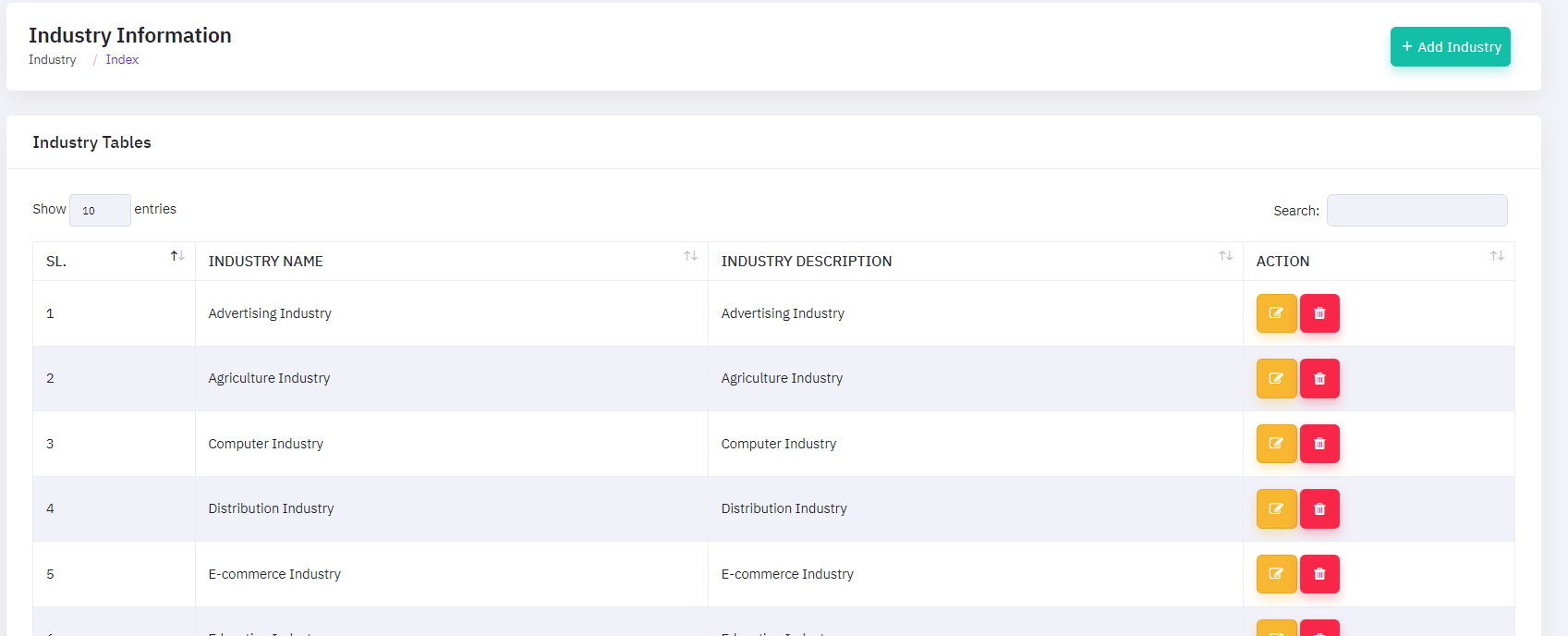
To modify a industry, click the "EDIT ICON ", which will open a new popup window. On that form, enter the update details and then click the update button.
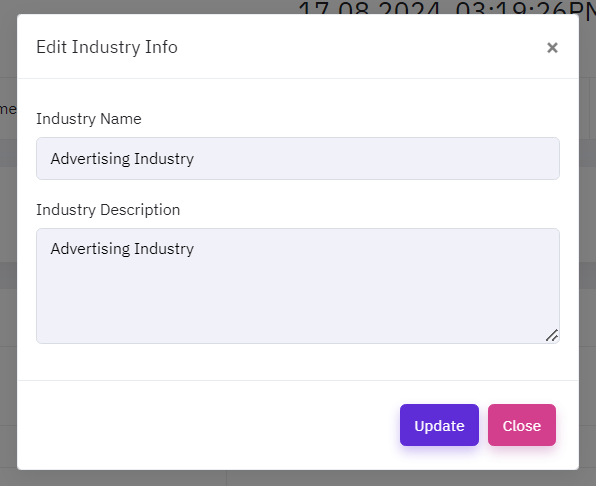
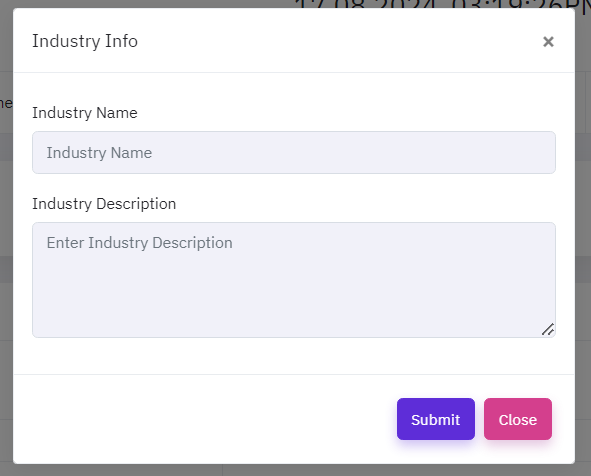
To add a new industry, click the "Add industry" button, which will open a new popup window. On that form, provide the necessary information about the industry, such as industry name, and description, as well as if the industry is currently active or inactive.
Client Group Management
The CRM software's Client Group Management module enables administrators to effectively monitor and manage client group profiles. This module includes a full list of all client groups and their associated information, which is securely saved within the system. Administrators can quickly create new client groups by entering their information into the module. The table list view also contains a "EDIT" icon for editing existing client group profiles and a "DELETE" symbol for deleting client groups as needed. This capability keeps the client group database accurate and up-to-date by reflecting any changes in client group information.
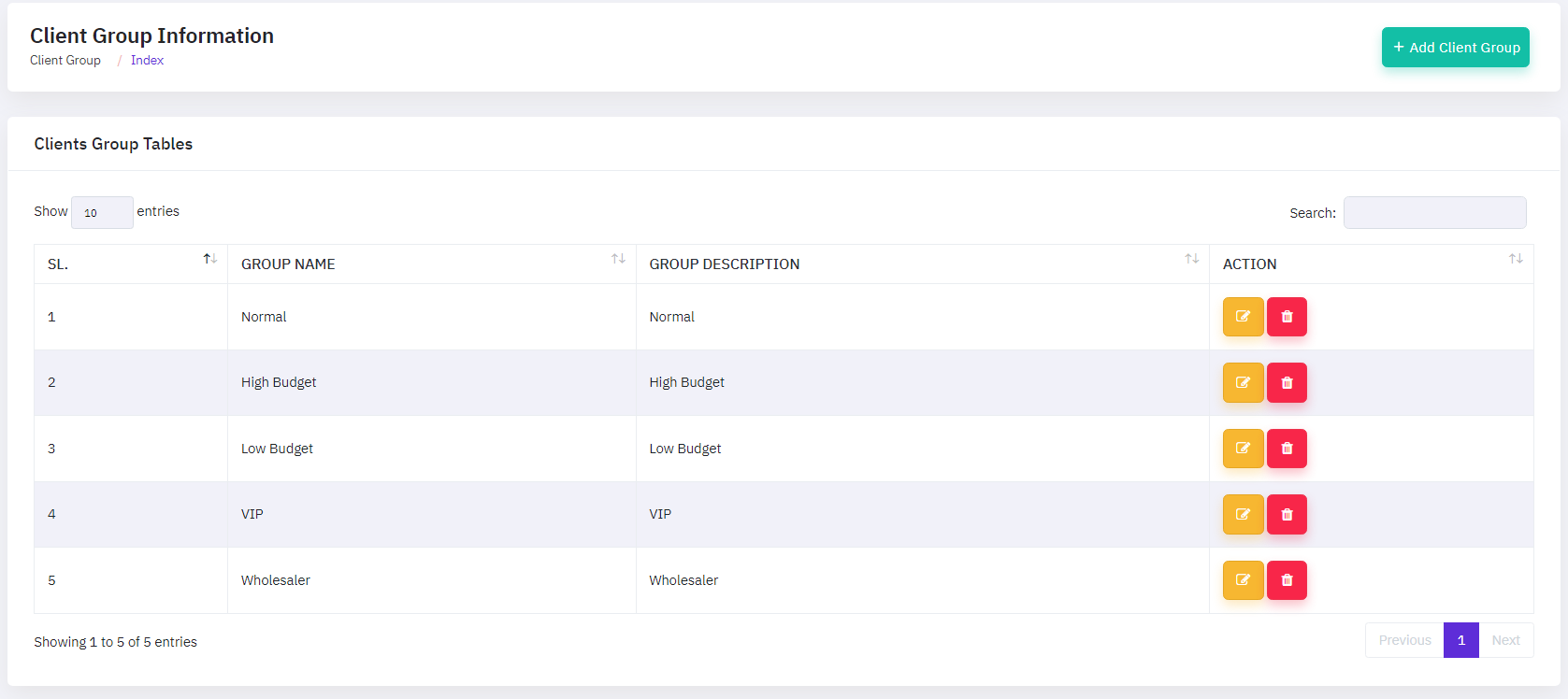
To modify a client group, click the "EDIT ICON ",which will open a new popup window. On that form, enter the update details and then click the update button.
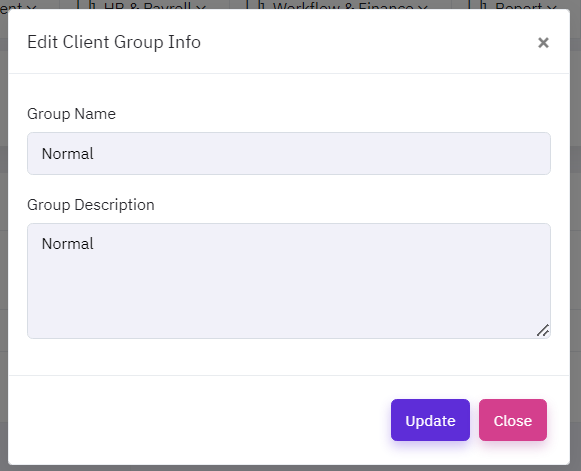
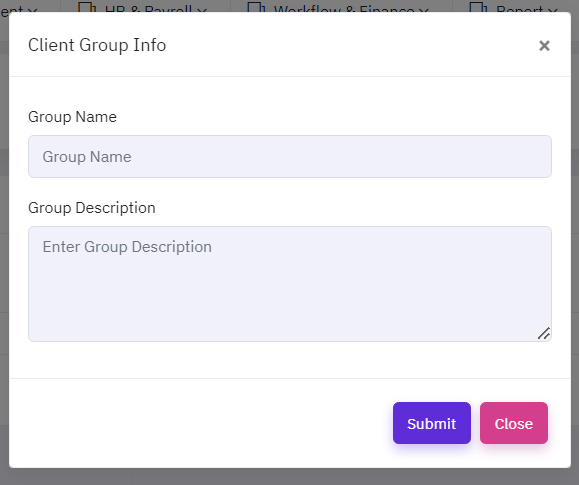
To add a new client group, click the "Add client group" button, which will open a new popup window. On that form, provide the necessary information about the client group, such as group name, and group description, as well as if the client group is currently active or inactive.
Product Management
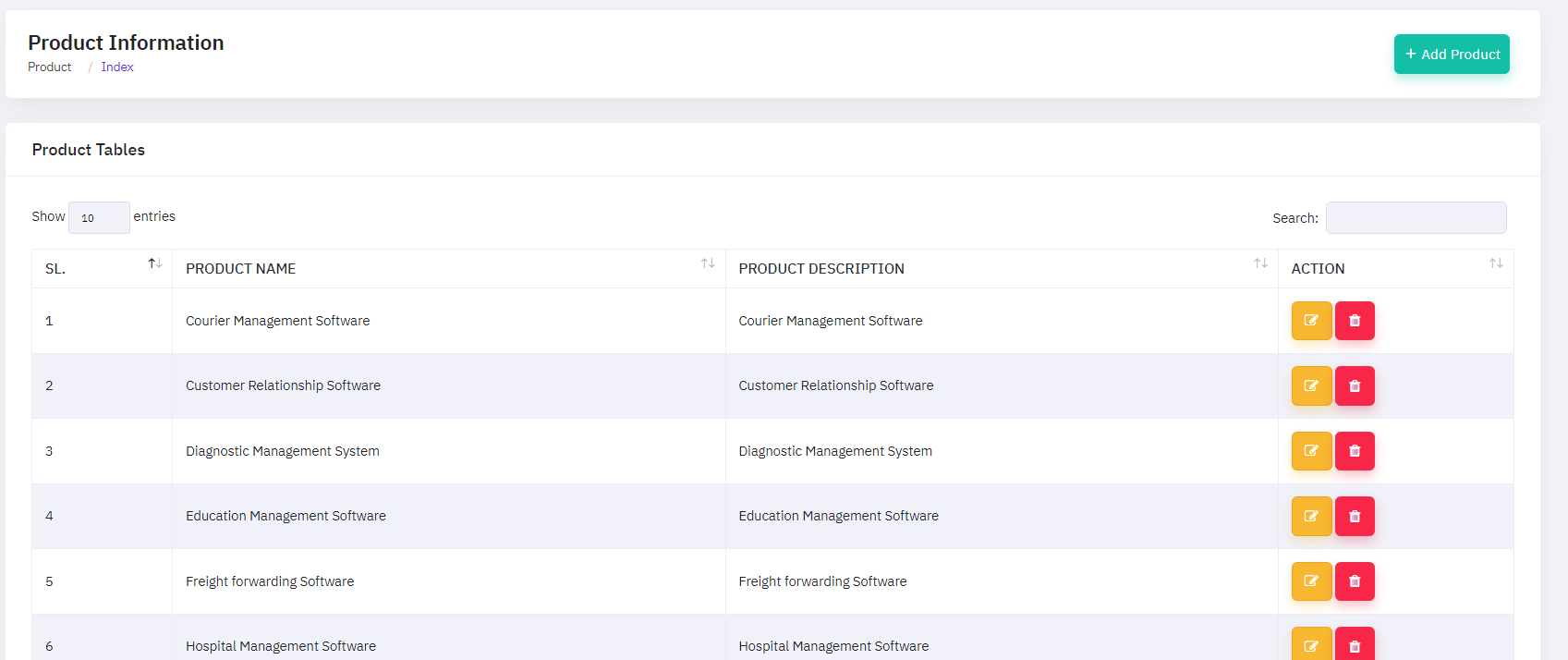
The CRM software's Product Management module enables administrators to properly oversee and handle product-specific data. This module includes a full list of all industries and their pertinent information, which is safely saved within the system. Administrators can quickly create new product listings by adding the required information into the module. Furthermore, the table list view includes "EDIT" and "DELETE" icons, which allow administrators to alter or delete existing product entries as needed. This feature keeps the product database accurate and updated, reflecting any modifications or changes in industry information.
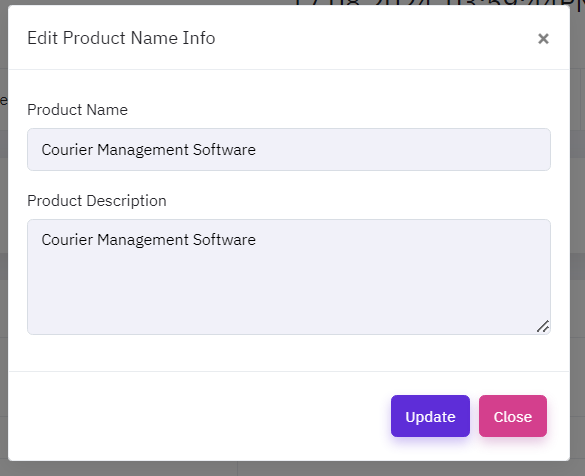
To modify a product, click the "EDIT ICON ", which will open a new popup window. On that form, enter the update details and then click the update button.
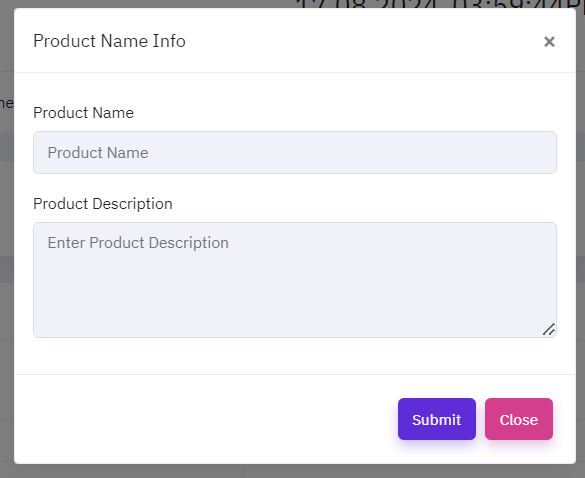
To add a new product, click the "Add product" button, which will open a new popup window. On that form, provide the necessary information about the product, such as product name, and description, as well as if the product is currently active or inactive.
Holiday Management
The CRM software's Holiday Management module enables administrators to properly oversee and handle holiday-specific data. This module includes a full list of all industries and their pertinent information, which is safely saved within the system. Administrators can quickly create new holiday listings by adding the required information into the module. Furthermore, the table list view includes "EDIT" and "DELETE" icons, which allow administrators to alter or delete existing holiday entries as needed. This feature keeps the holiday database accurate and updated, reflecting any modifications or changes in industry information.
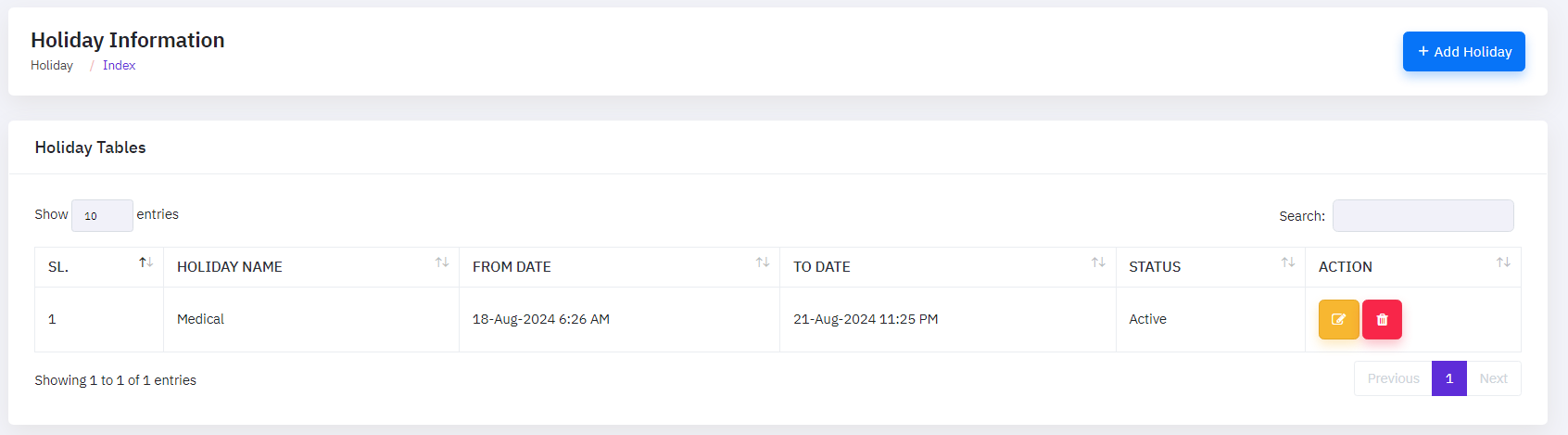
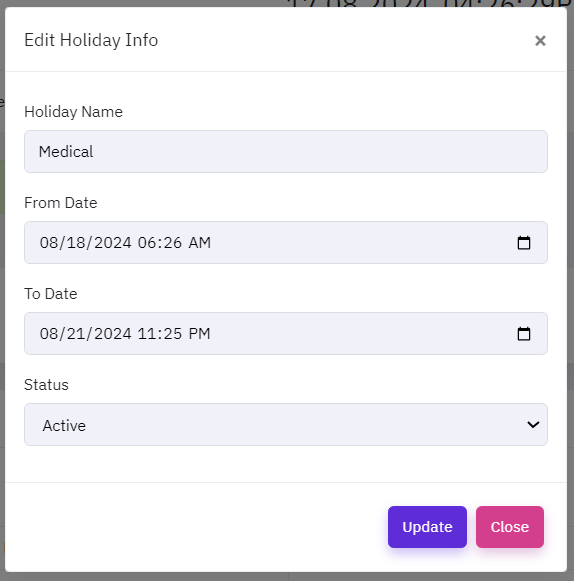
To modify a holiday, click the "EDIT ICON ", which will open a new popup window. On that form, enter the update details and then click the update button.
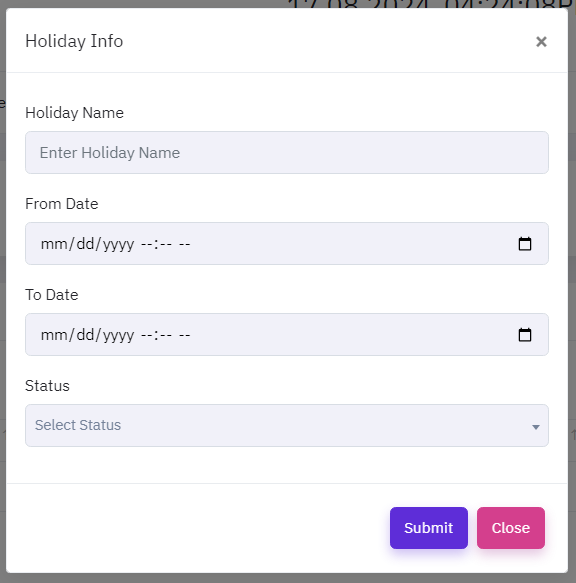
To add a new holiday, click the "Add Holiday" button, which will open a new popup window. On that form, provide the necessary information about the holiday, such as holiday name, from date ,to date, and status, as well as if the holiday is currently active or inactive.
Leave Category Management
The CRM software's Leave Category Management module enables administrators to properly oversee and handle leave-specific data. This module includes a full list of all industries and their pertinent information, which is safely saved within the system. Administrators can quickly create new leave listings by adding the required information into the module. Furthermore, the table list view includes "EDIT" and "DELETE" icons, which allow administrators to alter or delete existing leave entries as needed. This feature keeps the leave database accurate and updated, reflecting any modifications or changes in industry information.
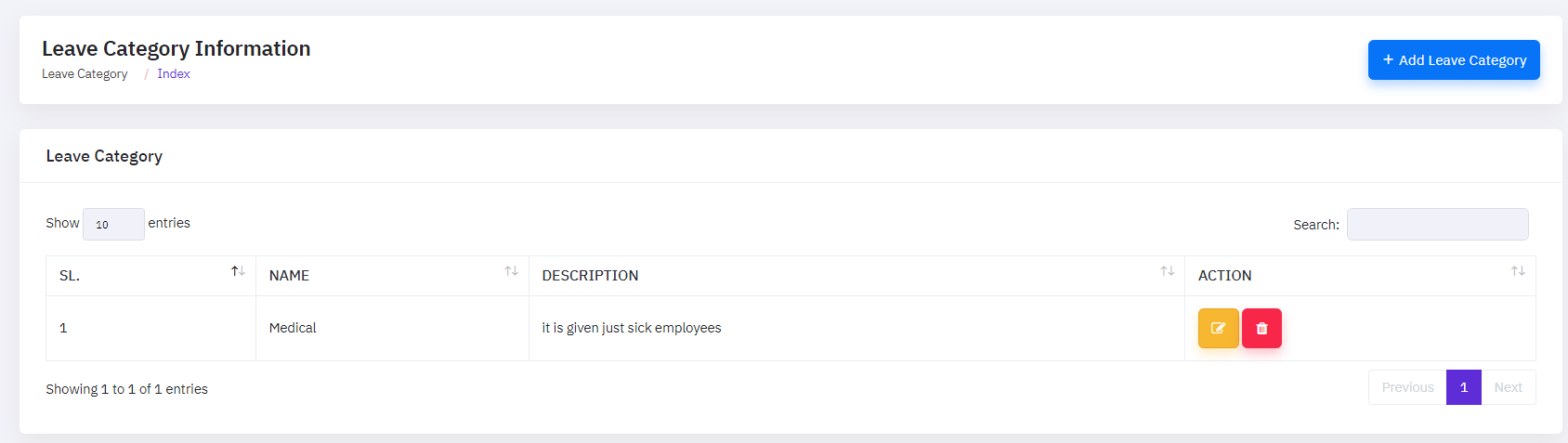
To modify a leave category, click the "EDIT ICON ", which will open a new popup window. On that form, enter the update details and then click the update button.
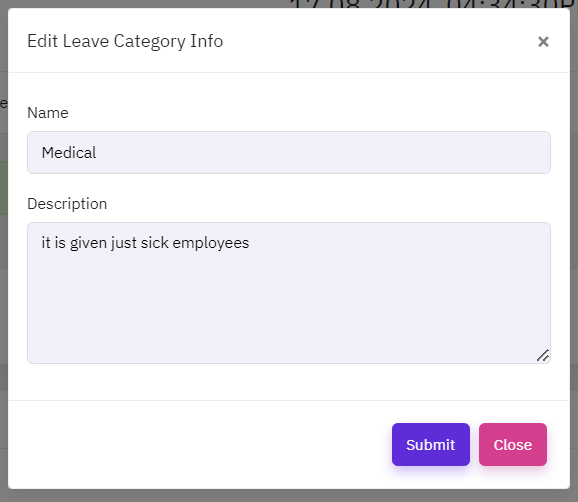
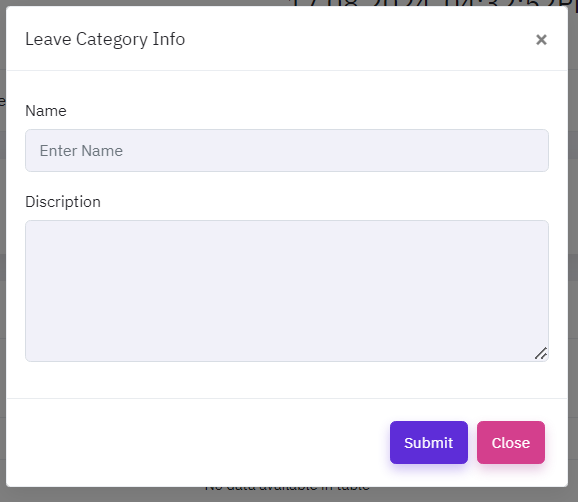
To add a new leave, click the "Add Leave Category" button, which will open a new popup window. On that form, provide the necessary information about the leave category, such as leave name and description, as well as if the leave is currently active or inactive.
Document Management
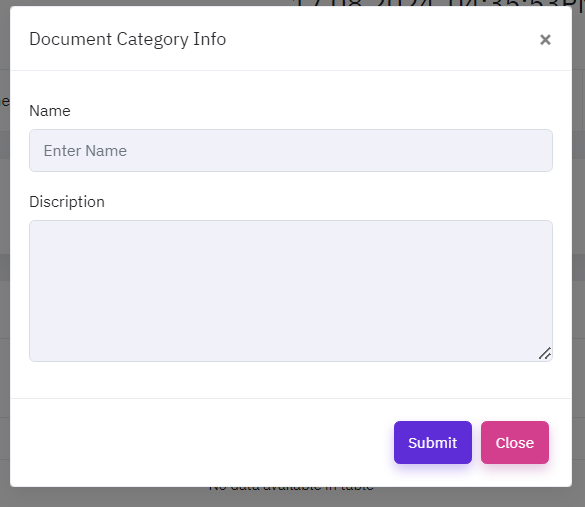
The CRM software's Document Management module enables administrators to properly oversee and handle document-specific data. This module includes a full list of all industries and their pertinent information, which is safely saved within the system. Administrators can quickly create new document listings by adding the required information into the module. Furthermore, the table list view includes "EDIT" and "DELETE" icons, which allow administrators to alter or delete existing documnet entries as needed. This feature keeps the document database accurate and updated, reflecting any modifications or changes in industry information.
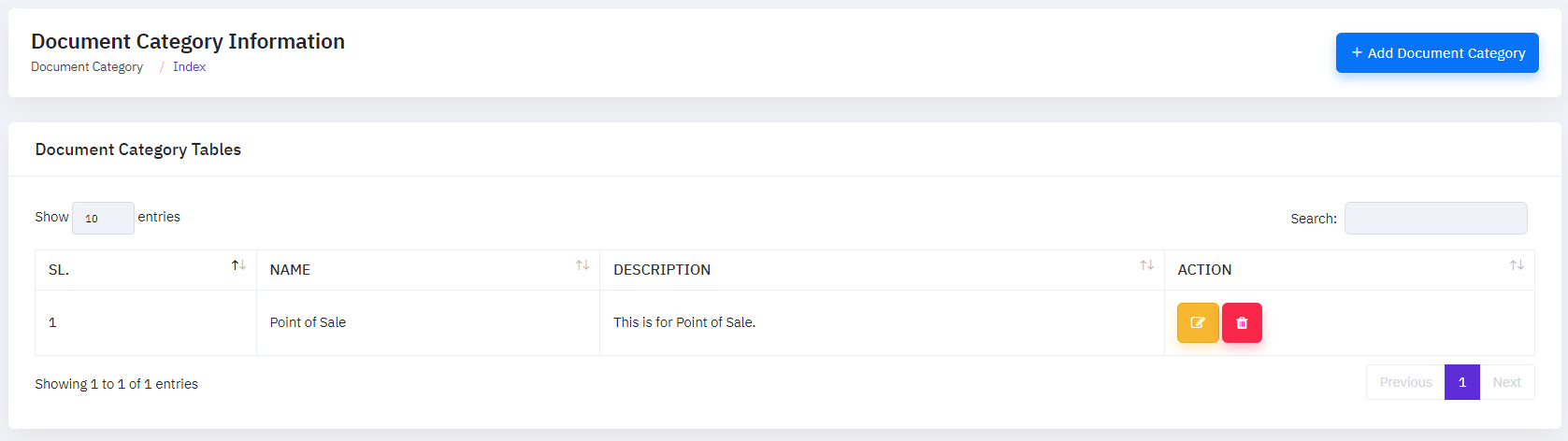
To modify a document, click the "EDIT ICON ", which will open a new popup window. On that form, enter the update details and then click the update button.
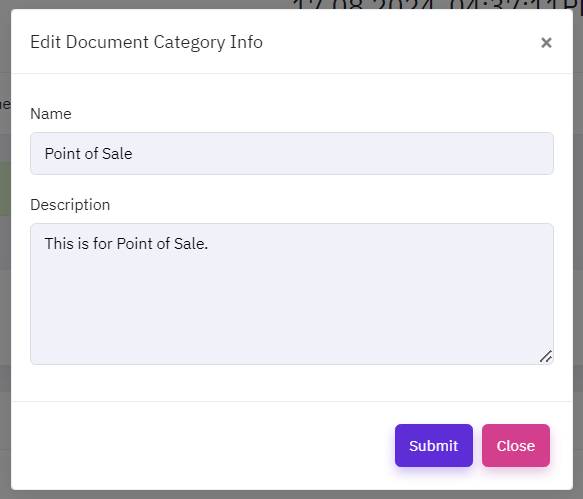
To add a new document, click the "Add Document Category" button, which will open a new popup window. On that form, provide the necessary information about the document, such as name,and description, as well as if the document is currently active or inactive.
Voucher Management
The CRM software's Voucher Management module enables administrators to properly oversee and handle voucher-specific data. This module includes a full list of all industries and their pertinent information, which is safely saved within the system. Administrators can quickly create new voucher listings by adding the required information into the module. Furthermore, the table list view includes "EDIT" and "DELETE" icons, which allow administrators to alter or delete existing voucher entries as needed. This feature keeps the voucher database accurate and updated, reflecting any modifications or changes in industry information.
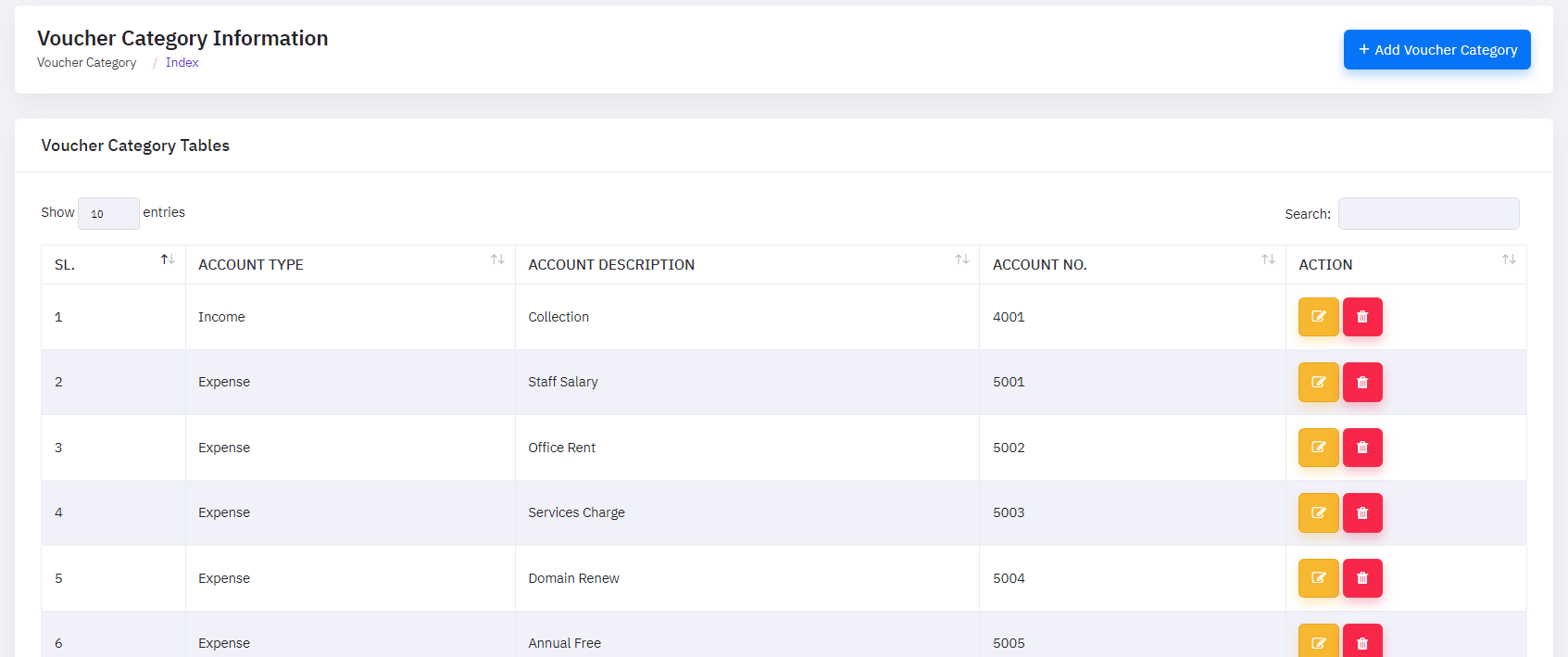
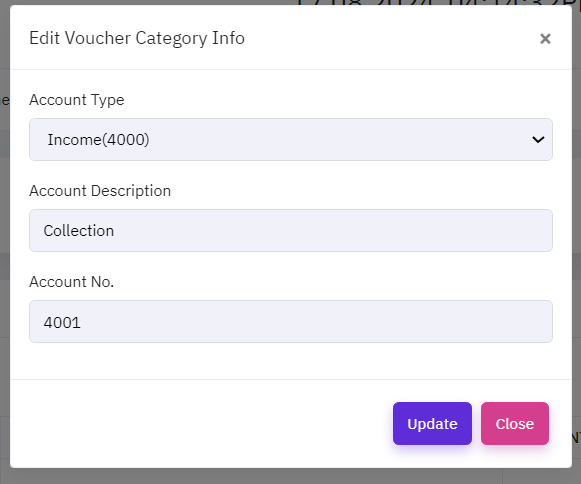
To modify a voucher, click the "EDIT ICON ", which will open a new popup window. On that form, enter the update details and then click the update button.
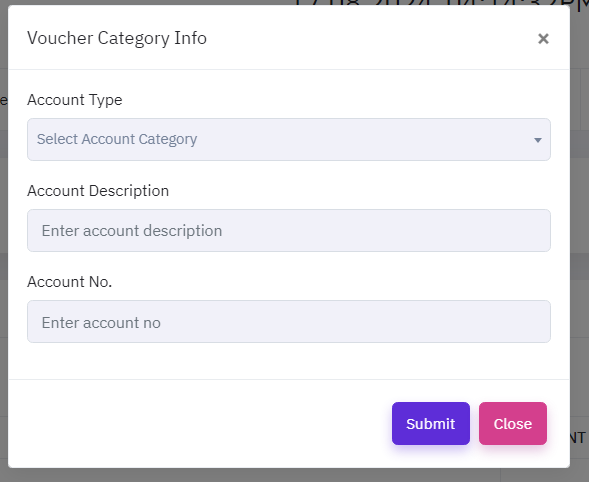
To add a new voucher, click the "Add Voucher" button, which will open a new popup window. On that form, provide the necessary information about the voucher, such as account type,account description, and account number, as well as if the voucher is currently active or inactive.
Sales & Marketing Management
Sales and Marketing Management is the strategic planning, execution, and analysis of sales and marketing initiatives to drive business success. This field focuses on understanding consumer wants, market trends, and competitive landscapes in order to create effective marketing and sales strategies. Organizations can improve client acquisition, brand visibility, and income by combining sales and marketing operations. Setting sales targets, managing marketing budgets, reviewing performance data, and cultivating strong customer and stakeholder connections are among the primary responsibilities. Successful Sales and Marketing Management is critical for matching products and services to market demand and guaranteeing long-term corporate success.
Add Customer
The CRM software's Customer Management module enables administrators to efficiently manage and control customer-specific data. This module provides a comprehensive list of all clients and their relevant information, which is safely saved within the system. Administrators can simply create new customer profiles by putting the required information into the module. Furthermore, the table list view includes "EDIT","VIEW" and "DELETE" icons, which allow administrators to change or show or delete existing customer information as needed. This capability guarantees that the customer database is correct and up to date, reflecting any changes or updates to client information.
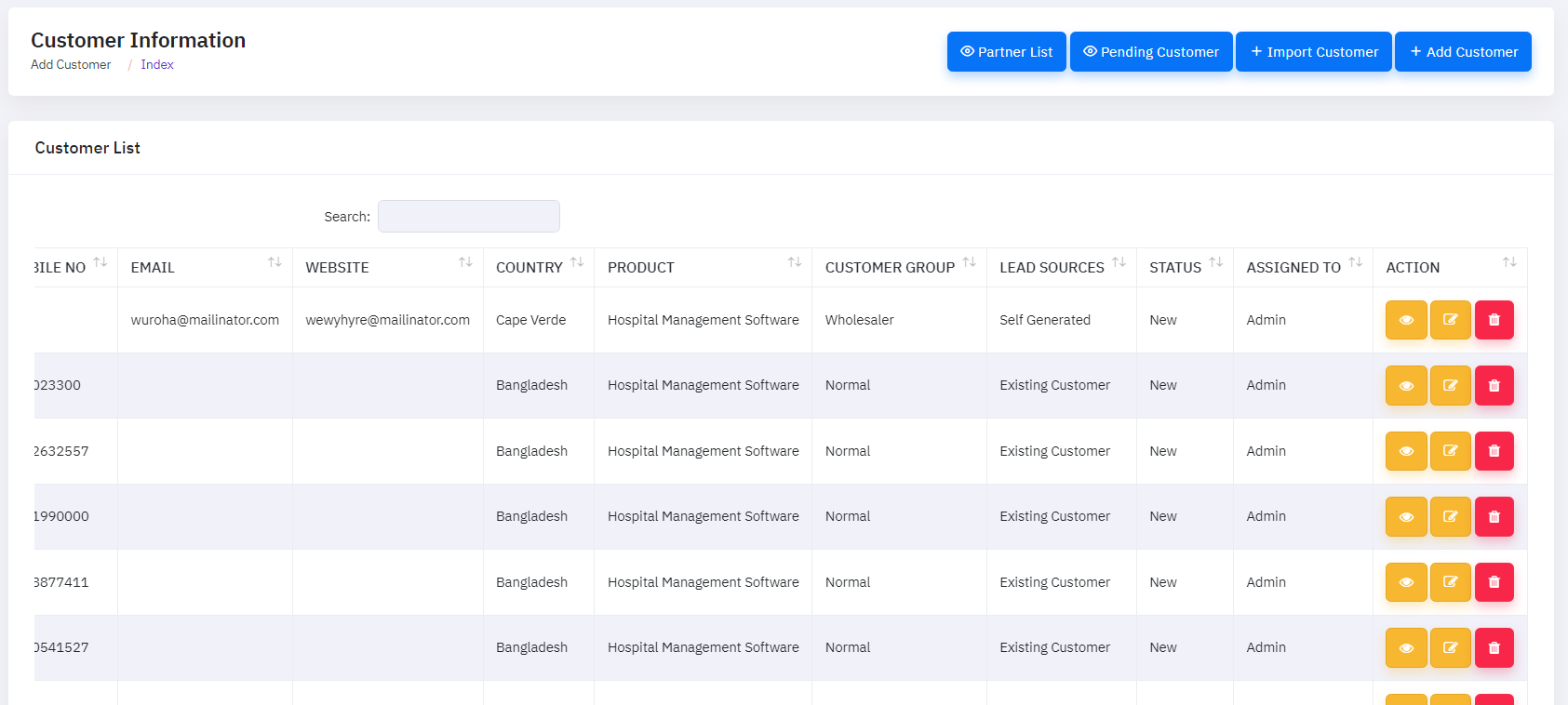
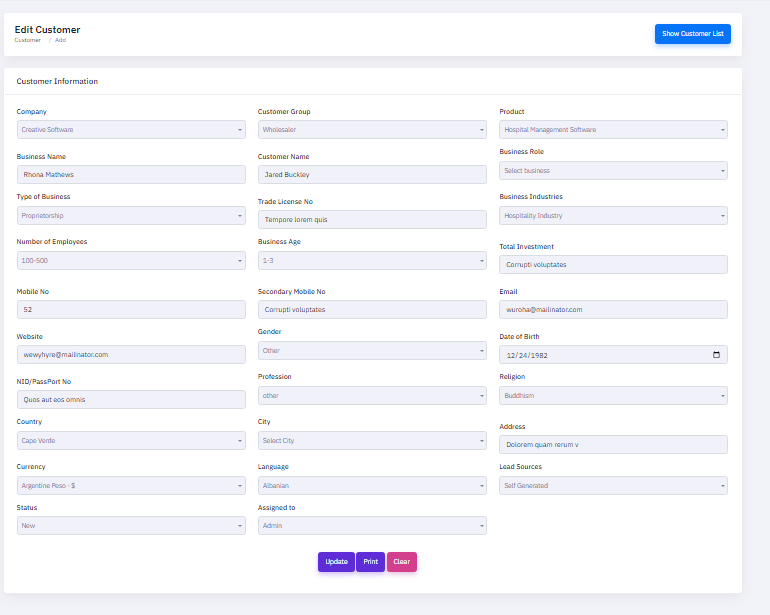
To modify a customer, click the "EDIT ICON ", which will open a new popup window. On that form, enter the update details and then click the update button.
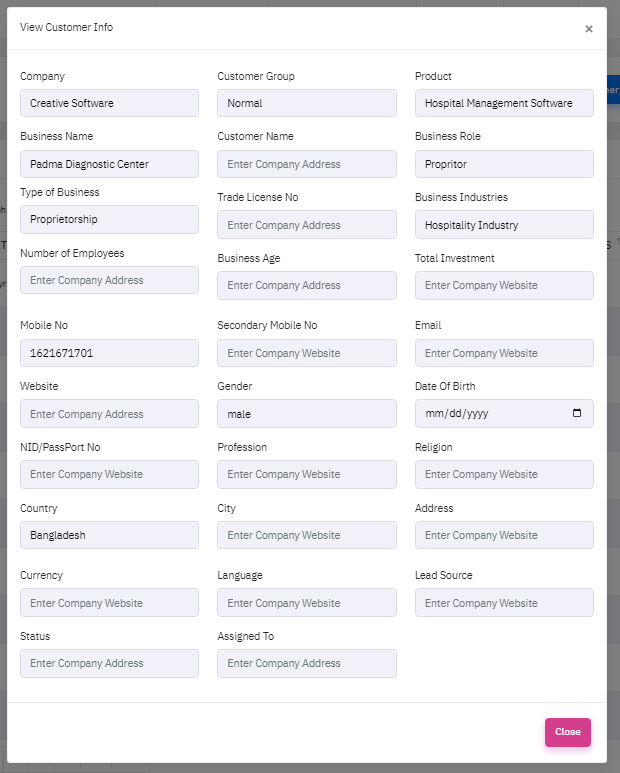
To modify a customer, click the "View ICON ", which will open a new popup window. On that form, enter the view details and then click the close button then close this window.
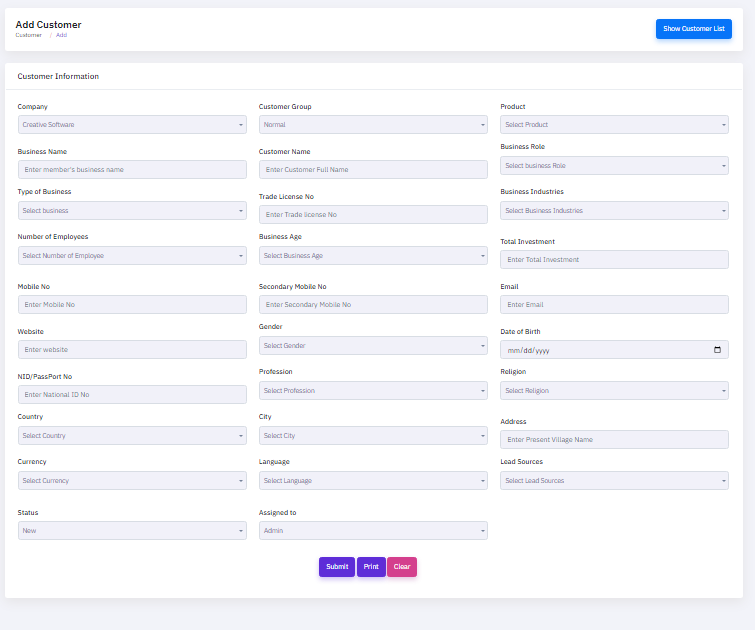
To add a new customer, click the "Add Customer" button, which will open a new popup window. On that form, provide the necessary information about the customer, such as company name, business name, type of business, number of employee, mobile number,website, NID or passport number, country,currency, status, customer group, customer name,trade license no, business name, secondary mobile number, gender, profession, city, language, assign to, product,business role, business industry,total investment,email,date of birth,religion, address, lead source as well as if the customer is currently active or inactive.
Lead Management
The CRM software's Lead Management module enables administrators to effectively manage and nurture potential users. This module provides a full overview of all leads, including contact information, status, and interaction history, which are safely maintained in the system. Administrators can easily generate new lead profiles by putting the required information into the module. The table list view includes "EDIT," "VIEW," and "DELETE" icons, which enable administrators to change, review, or delete lead information as needed. This capability guarantees that the lead database is correct and up to date, allowing for prompt follow-ups and successful lead nurturing.
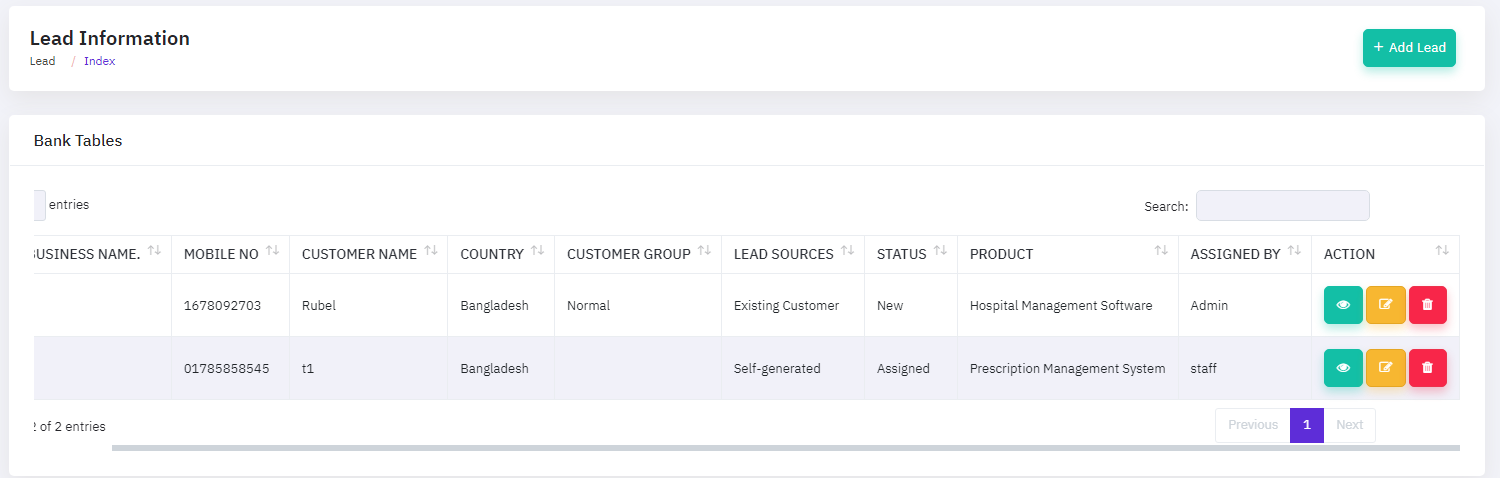
To modify a lead, click the "EDIT ICON ", which will open a new popup window. On that form, enter the update details and then click the update button.
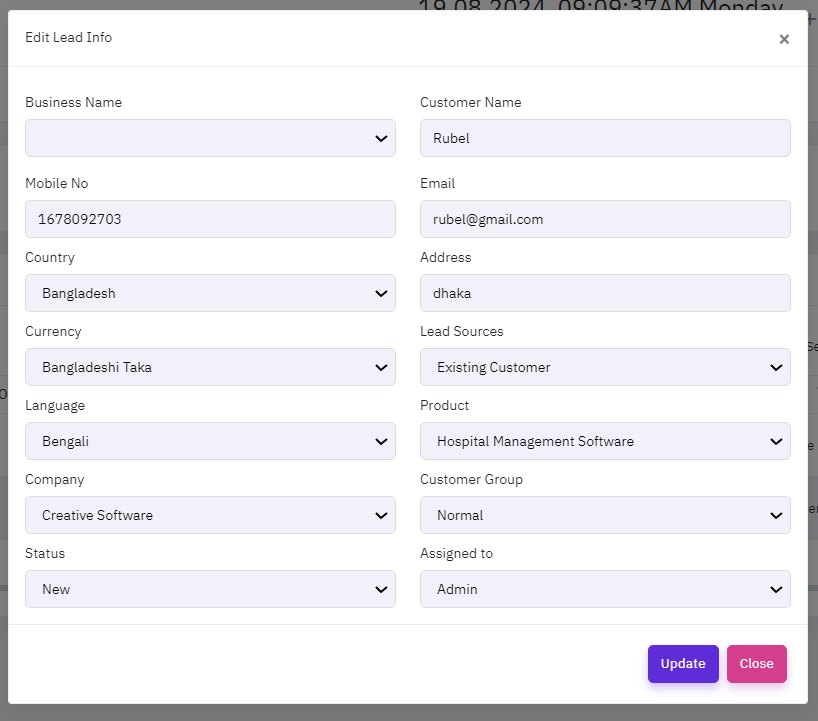
To modify a lead, click the "View ICON ", which will open a new popup window. On that form, enter the view details and then click the close button then close this window.
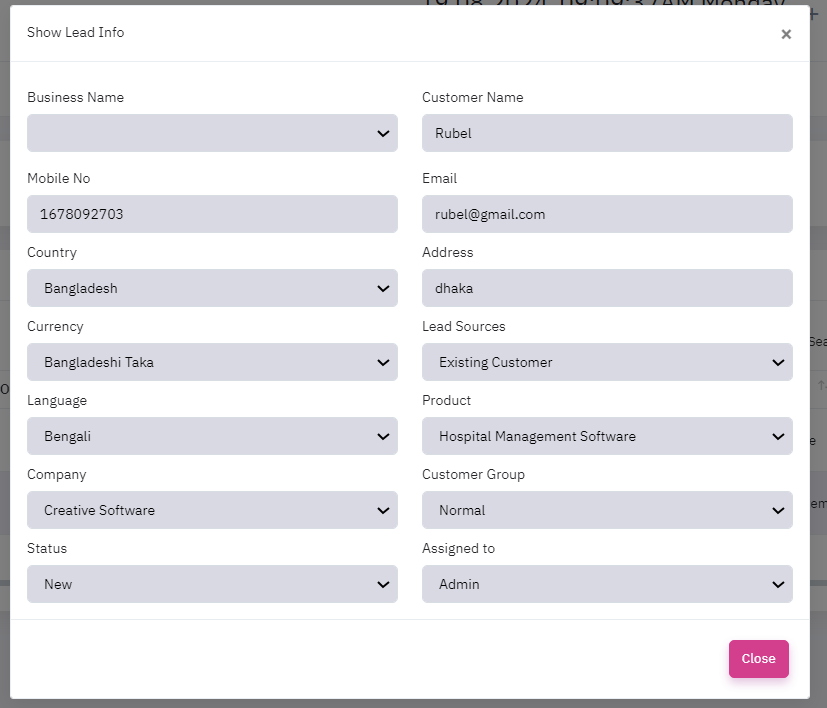
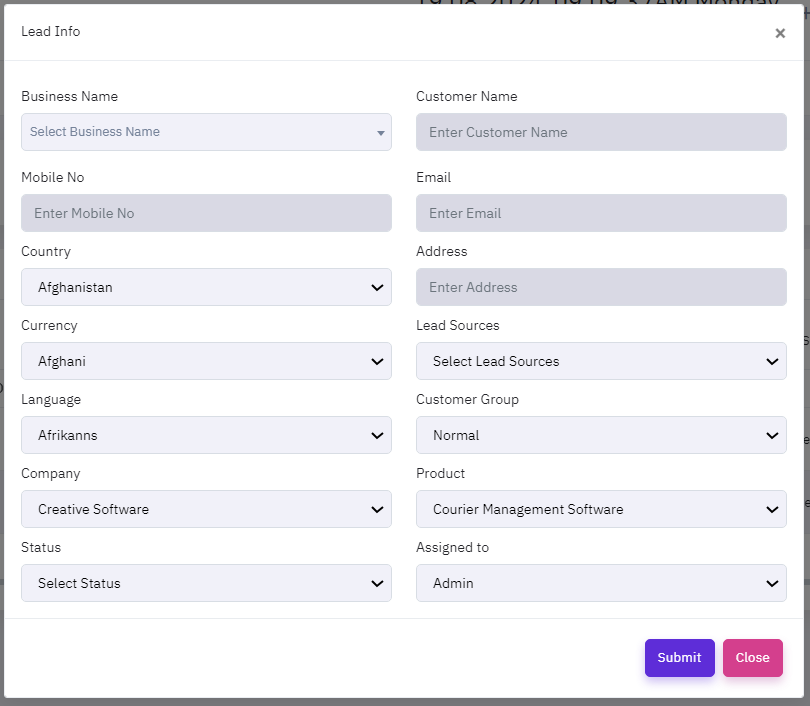
To add a new lead, click the "Add Lead" button, which will open a new popup window. On that form, provide the necessary information about the lead, such as business name,mobile number, country, currency, language,company,status, custome name, email address, lead source, customer group, product, assign to ,as well as if the lead is currently active or inactive.
Partner Management
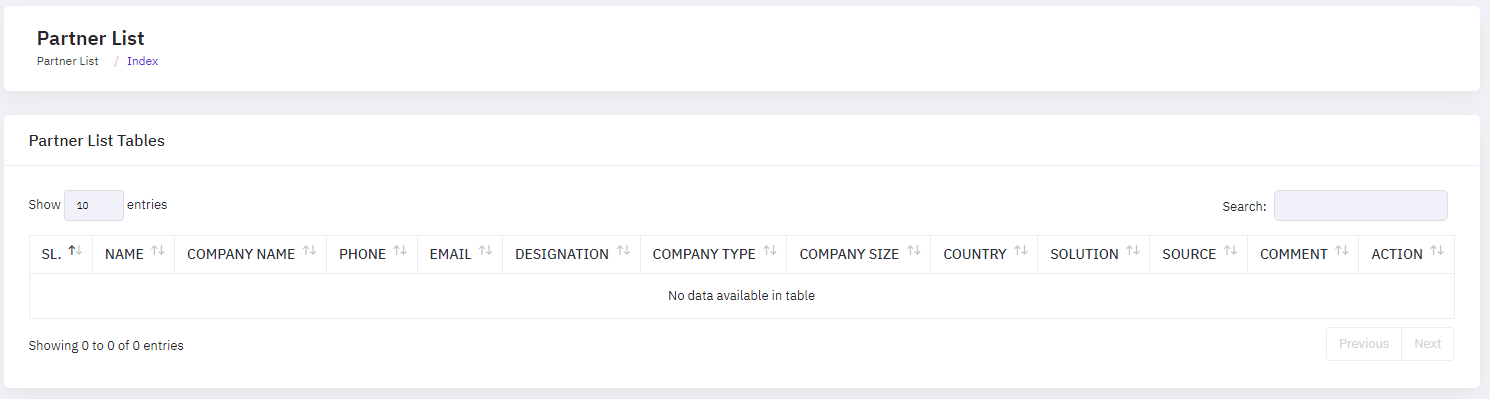
The CRM software's Partner Management module enables administrators to effectively manage and nurture potential users. This module provides a full overview of all patners, including contact information, status, and interaction history, which are safely maintained in the system.
Meeting Management
The CRM software's Meeting Management module enables administrators to effectively manage and nurture potential users. This module provides a full overview of all meetings, including contact information, status, and interaction history, which are safely maintained in the system. Administrators can easily generate new meeting profiles by putting the required information into the module. The table list view includes "EDIT"and "DELETE" icons, which enable administrators to change, review, or delete meeting information as needed. This capability guarantees that the meeting database is correct and up to time and date, allowing for prompt follow-ups and successful meeting nurturing.
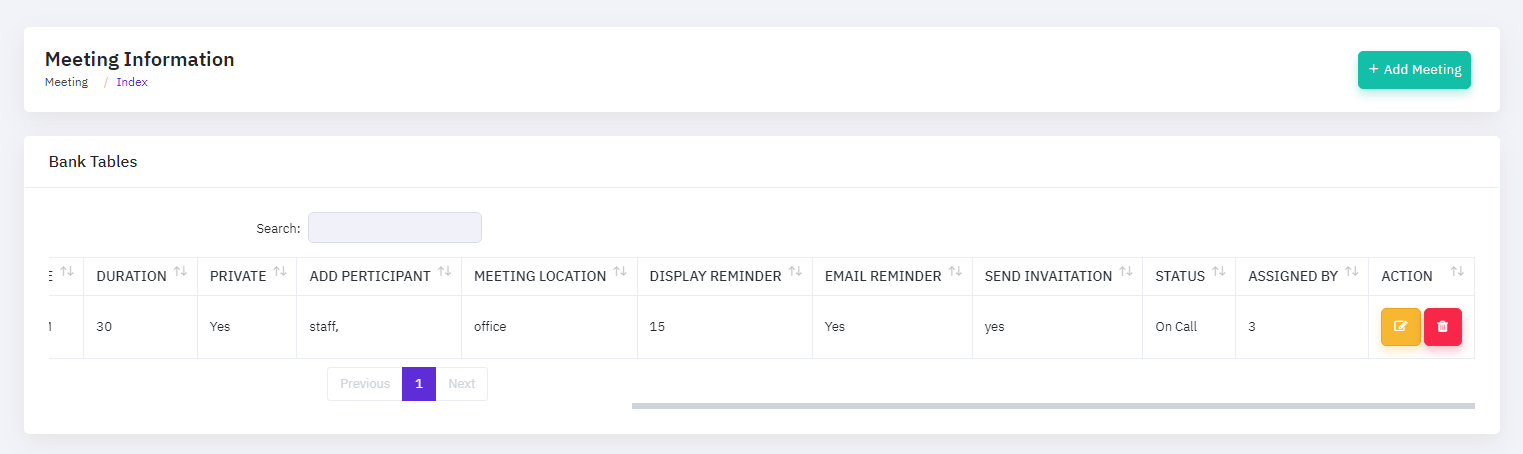
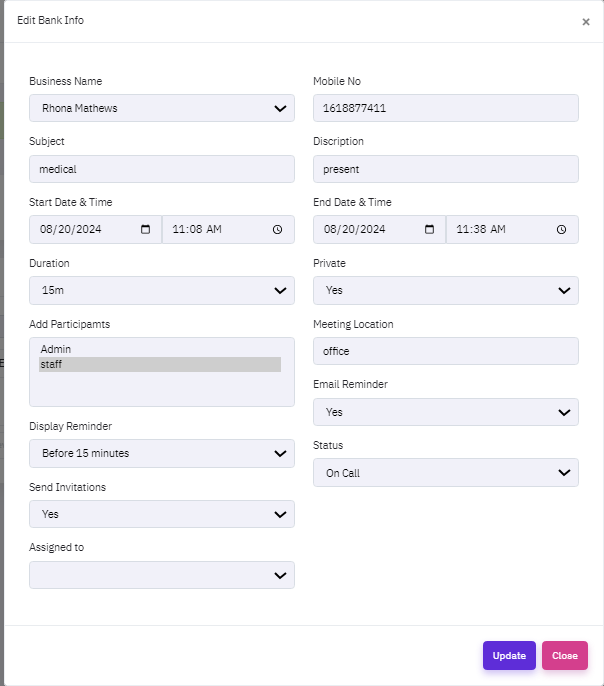
To modify a meeting, click the "EDIT ICON ", which will open a new popup window. On that form, enter the update details and then click the update button.
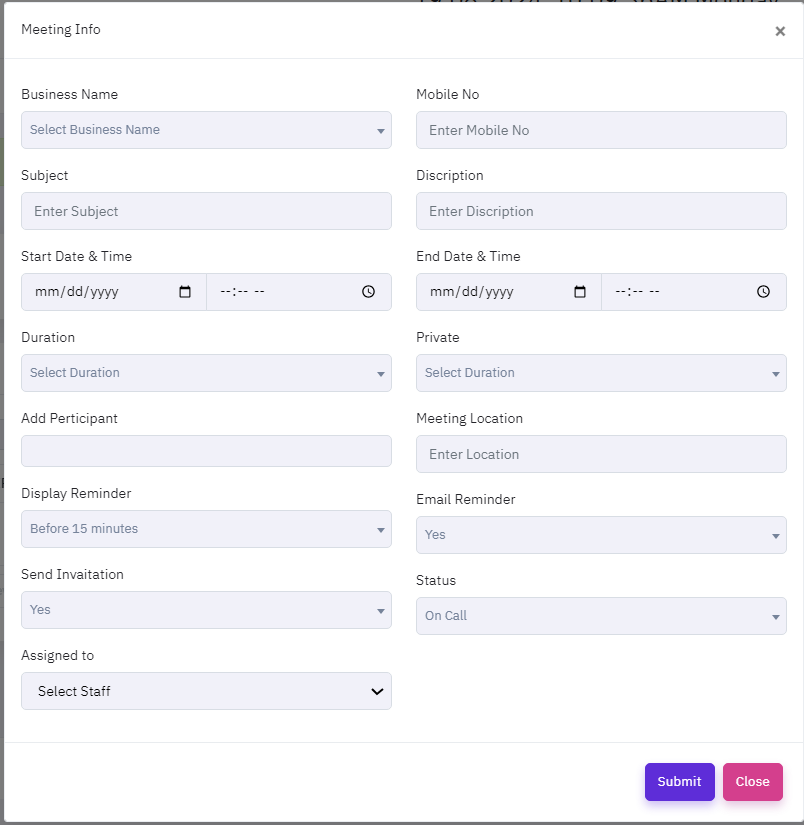
To add a new meeting, click the "Add meeting" button, which will open a new popup window. On that form, provide the necessary information about the meeting, such as business name,subject, start date and time, duration, add perticipant,display reminder,send invitation, assign to, mobile number, description, end date and time, meeting location, email reminder ,status, as well as if the meeting is currently active or inactive.
Call Management
The CRM software's Call Management module enables administrators to effectively manage and nurture potential users. This module provides a full overview of all calls, including contact information, status, and interaction history, which are safely maintained in the system. Administrators can easily generate new call profiles by putting the required information into the module. The table list view includes "EDIT"and "DELETE" icons, which enable administrators to change, or delete call information as needed. This capability guarantees that the call database is correct and up to time and date, allowing for prompt follow-ups and successful call nurturing.
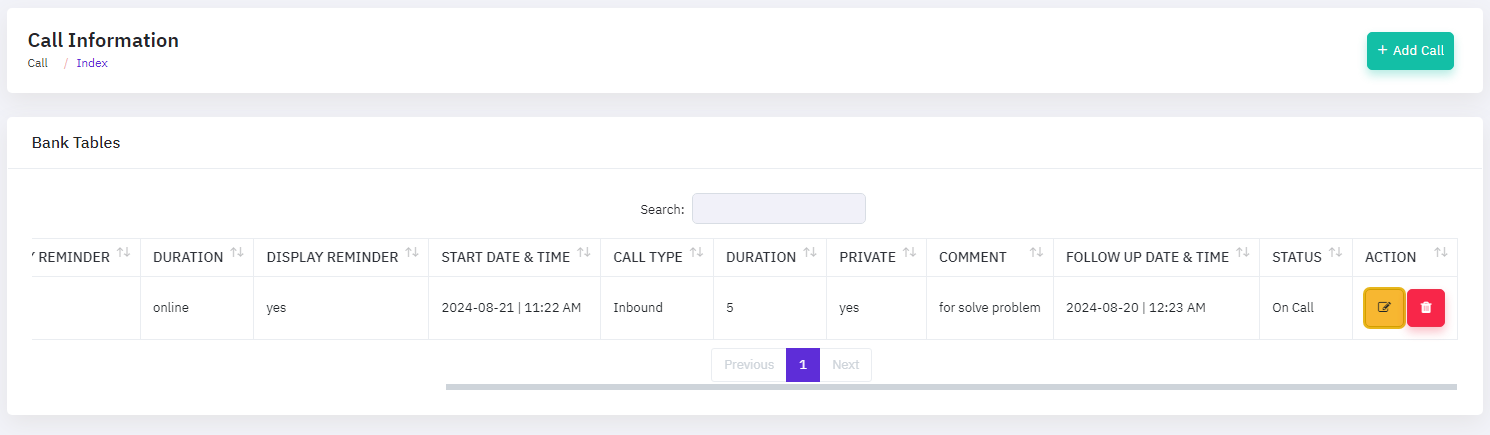
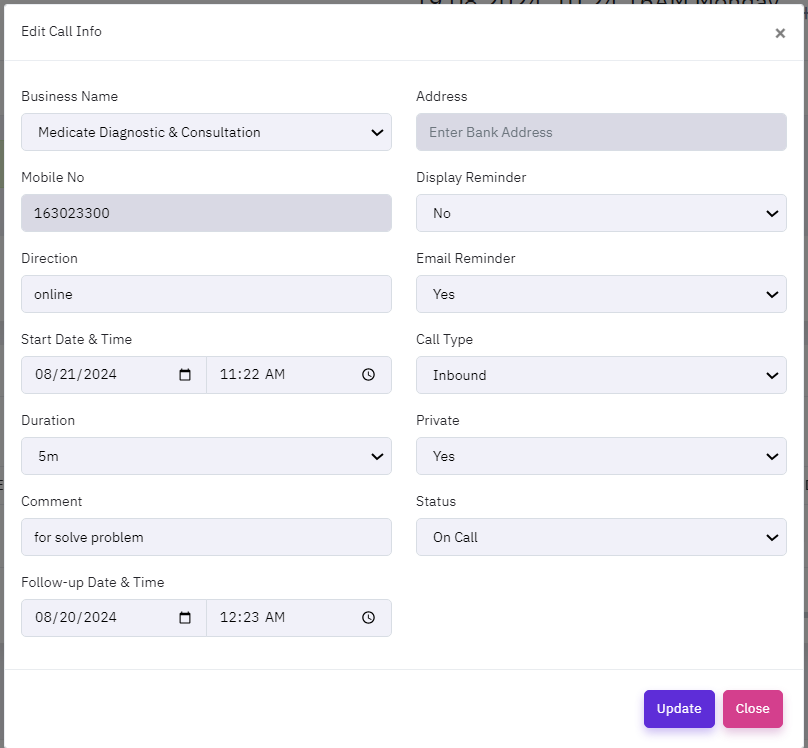
To modify a call, click the "EDIT ICON ", which will open a new popup window. On that form, enter the update details and then click the update button.
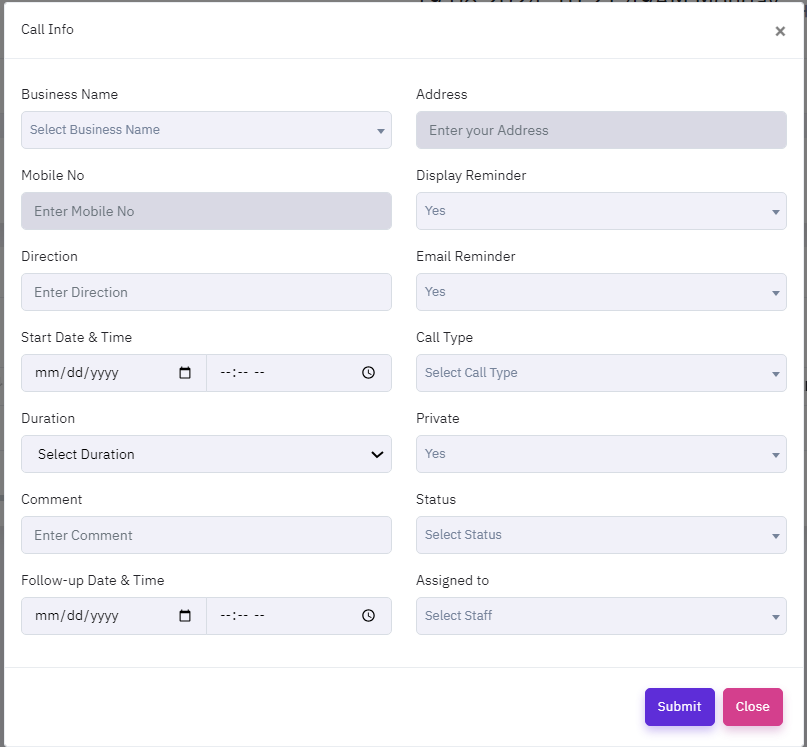
To add a new call, click the "Add Call" button, which will open a new popup window. On that form, provide the necessary information about the call, such as business name,mobile number,direction, start date and time, duration, comment,follow-ups date and time, address, display reminder , email reminder, call type, private ,status, assign to as well as if the call is currently active or inactive.
Email Management
The CRM software's Email Management module enables administrators to effectively manage and nurture potential users. This module provides a full overview of all emails, including contact information, status, and interaction history, which are safely maintained in the system. Administrators can easily generate new email profiles by putting the required information into the module. The table list view includes "EDIT"and "DELETE" icons, which enable administrators to change, or delete email information as needed. This capability guarantees that the email database is correct and up to time and date, allowing for prompt follow-ups and successful email nurturing.
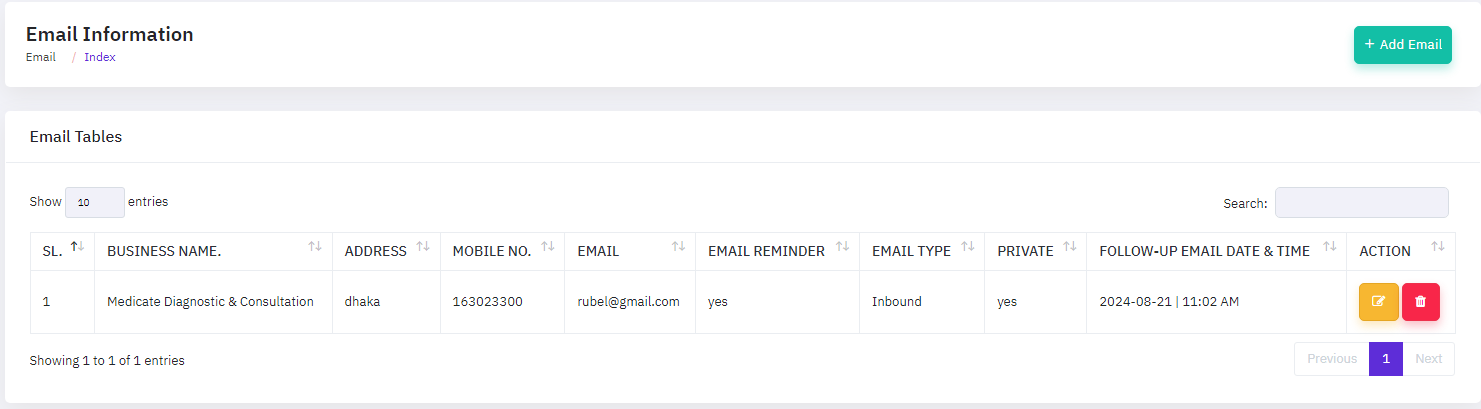
To modify a email, click the "EDIT ICON ", which will open a new popup window. On that form, enter the update details and then click the update button.
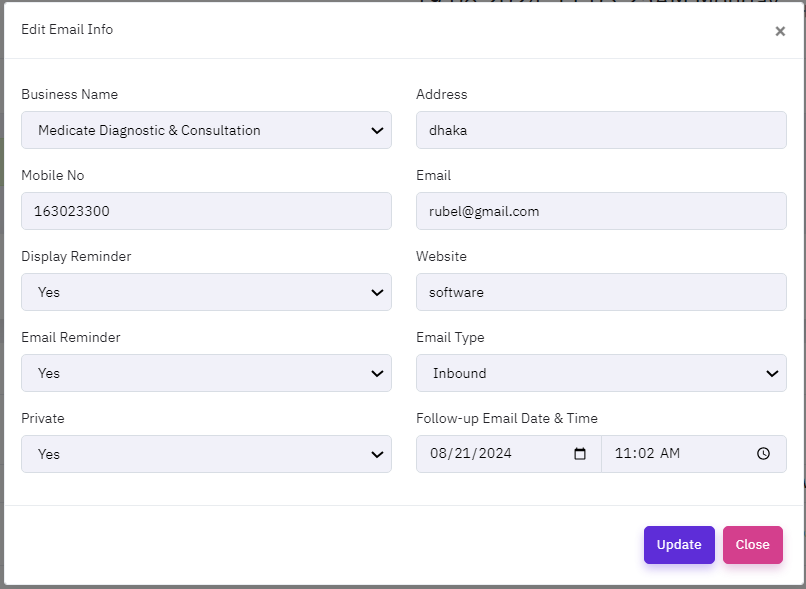
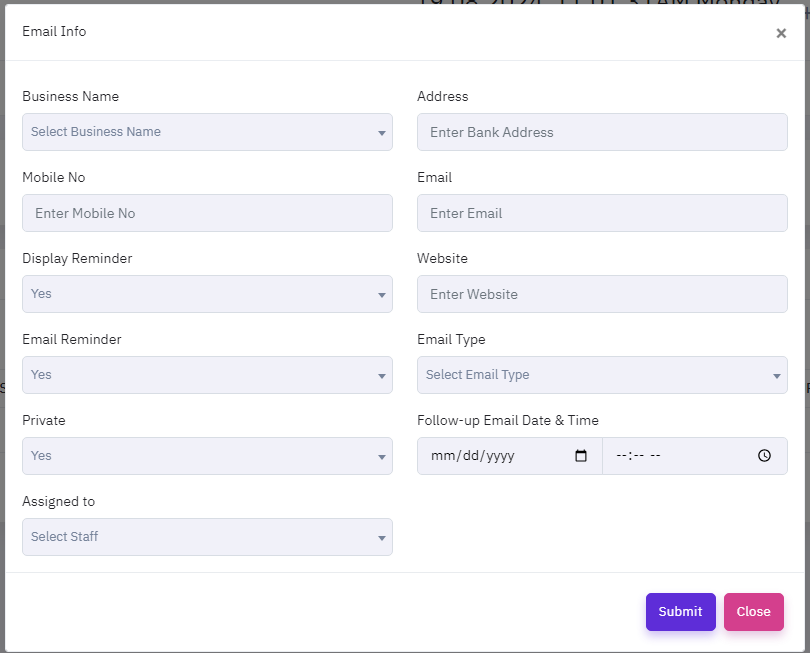
To add a new email, click the "Add email" button, which will open a new popup window. On that form, provide the necessary information about the email, such as business name,mobile number,display reminder,email reminder, private, assign to, address, email,website, ,email type, follow up date and time, as well as if the call is currently active or inactive.
Order Management
The CRM software's Order Management feature enables administrators to properly manage and track customer orders within the system. This module provides a full list of all customer orders, including order statuses, payment details, and delivery information, which are securely saved in the system. This module is divided into some main submodules:
- Add Proposal
- Add Invoice
- Add Subscription
- Add Collection
Proposal Management
Proposal management is critical for accelerating corporate growth and preserving a competitive advantage. This tool allows organizations to quickly produce, track, and manage proposals, ensuring that every opportunity is exploited. A strong proposal management system connects smoothly with CRM data, allowing sales teams to tailor proposals depending on customer requirements and previous interactions. It gives real-time updates on proposal status, allowing teams to prioritize follow-ups and increase closing rates. By providing insights on proposal success rates and identifying effective techniques, it helps firms improve their approach, resulting in increased client acquisition and retention.
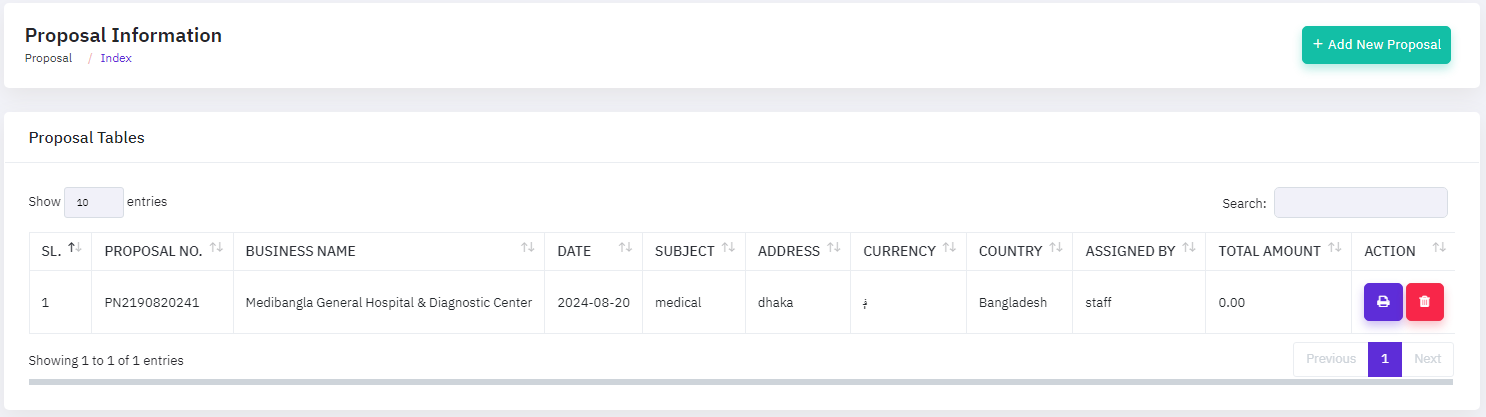
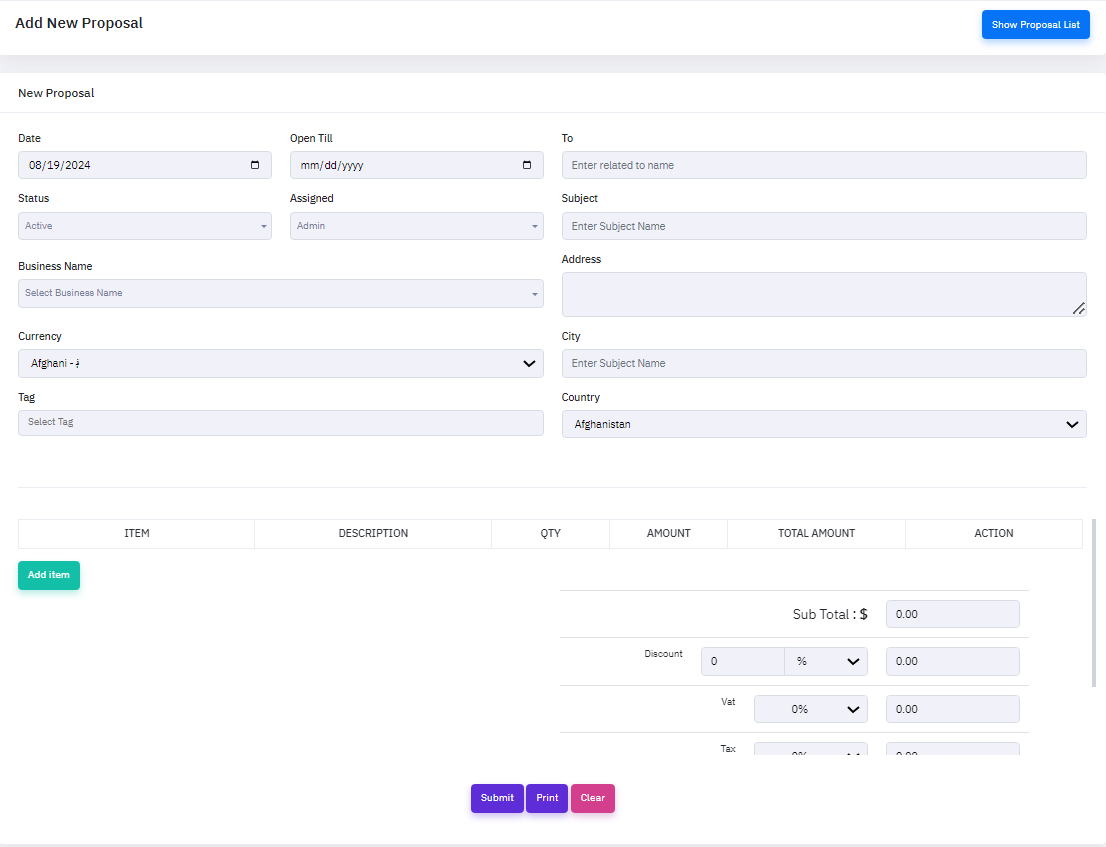
To add a new proposal, click the "Add proposal" button, which will open a new popup window. On that form, provide the necessary information about the proposal, such as date,open till,status,assigned, business name, currency, tag, to,subject,address, city,country, as well as if the call is currently active or inactive.
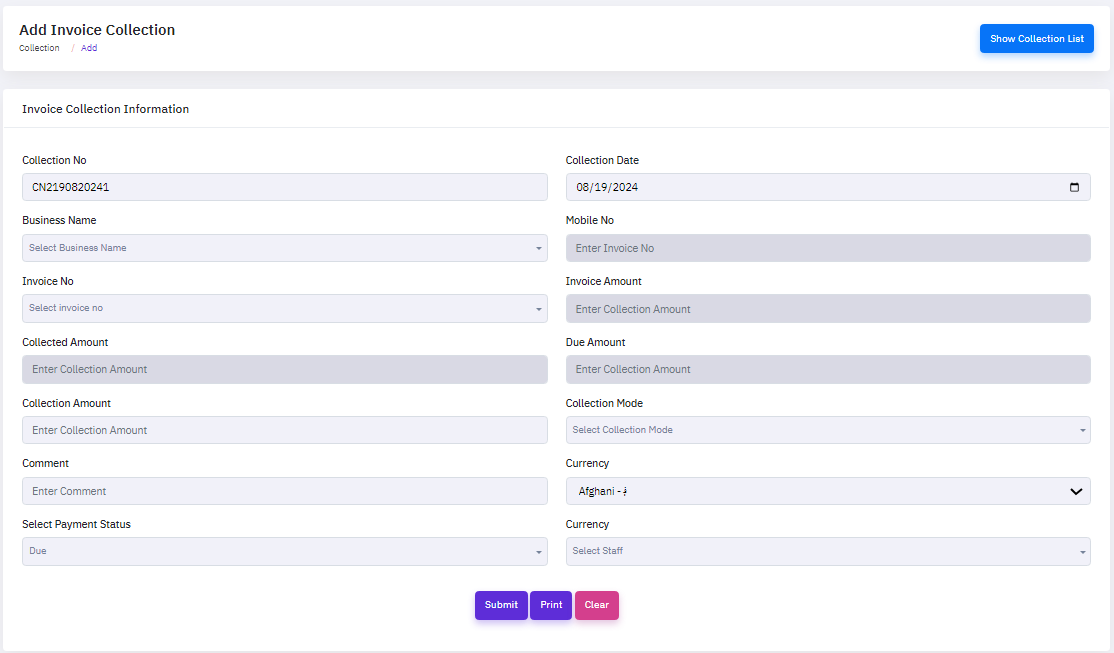
Collection Management
Collection management is critical to an organization's financial stability and cash flow. This tool allows organizations to efficiently track, manage, and automate the collection of outstanding payments from customers. It integrates easily with CRM data to provide a comprehensive view of each customer's payment history, outstanding invoices, and communication records. Collection management technologies provide real-time alerts for missed payments, allowing teams to prioritize and expedite collection activities. Businesses can save time and costs by implementing automatic reminders and follow-up plans for manual collection chores. Additionally, the system gives significant insights on payment trends and customer behavior, allowing firms to fine-tune their credit policies and reduce the risk of bad debt.
To add a new proposal, click the "Add proposal" button, which will open a new popup window. On that form, provide the necessary information about the proposal, such as date,open till,status,assigned, business name, currency, tag, to,subject,address, city,country, as well as if the call is currently active or inactive.
HR & payroll Management
The CRM software's HR & Payroll Management tool enables administrators to properly manage and track employee information, payroll, and benefits within the system. This module offers a complete view of all employee records, including attendance, performance reports, and salary information, which are securely preserved. Additionally, the system automates payroll processes, assuring correct and timely payouts, as well as handling tax deductions and compliance. The integration of human resources and payroll services simplifies operations, decreasing administrative workload and increasing overall efficiency. This module is divided into some main submodules:
- Add Job
- Application list
- Add Interview Schedule
- Holiday Calanders
- Add Attendance
- Add Leave
- Add Documents
Add Job
Job management in CRM software is critical for improving project execution and productivity. This tool allows businesses to efficiently create, assign, and track jobs, ensuring that tasks are done on time and within the scope. work management integrates seamlessly with CRM data, allowing teams to allocate tasks based on employee abilities, availability, and previous work performance, resulting in better resource allocation and project outcomes. Real-time reports on job progress keep teams informed, allowing them to prioritize tasks and alter workflows as necessary. Furthermore, task management software provide significant insights into work performance indicators, allowing organizations to fine-tune their processes, improve team cooperation, and ultimately increase customer happiness.
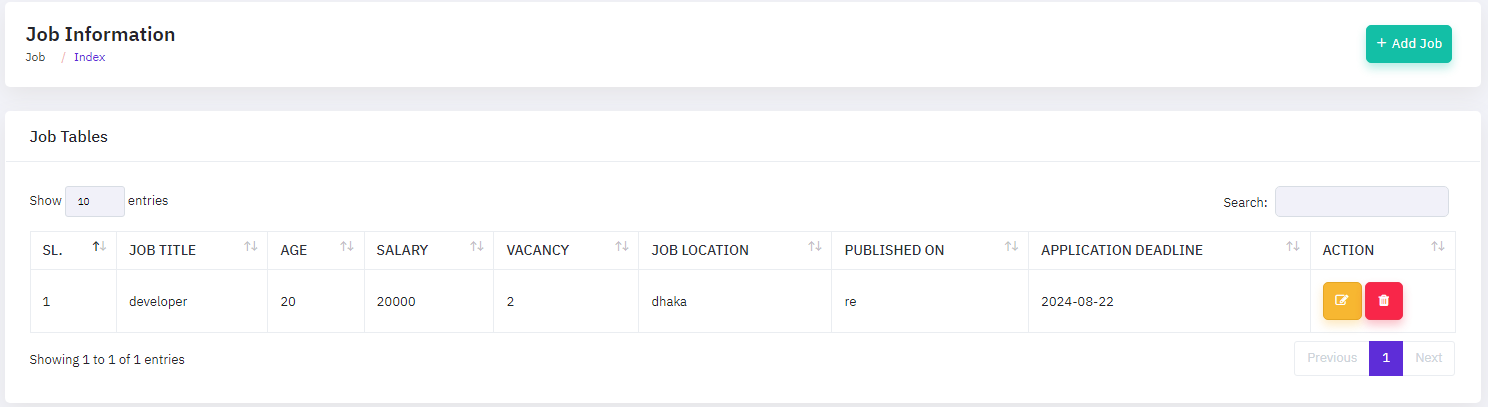
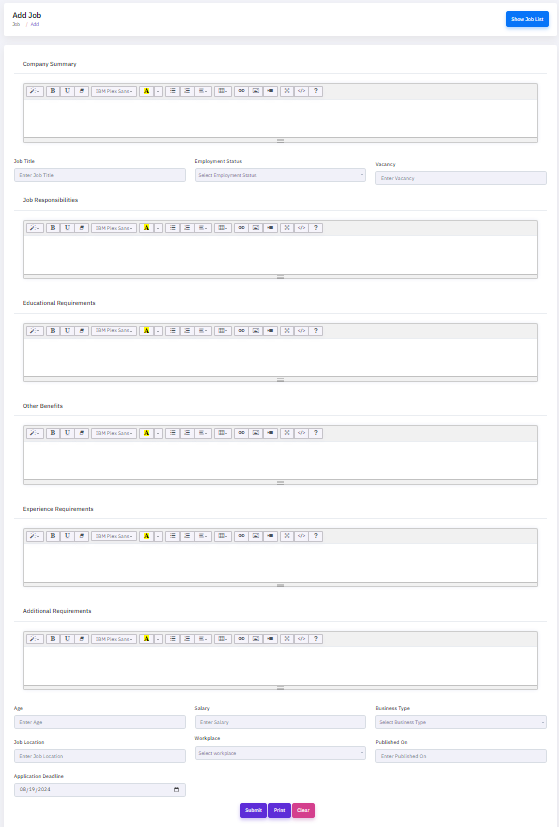
To add a new job, click the "Add job" button, which will open a new popup window. On that form, provide the necessary information about the job, such as company summery,job title,job responsibility,educational requirement, other benefits, Experience requirement, additional requirement, age,salary,business type, job location,work place,published date,application dateline as well as if the call is currently active or inactive.
Attendance Manage
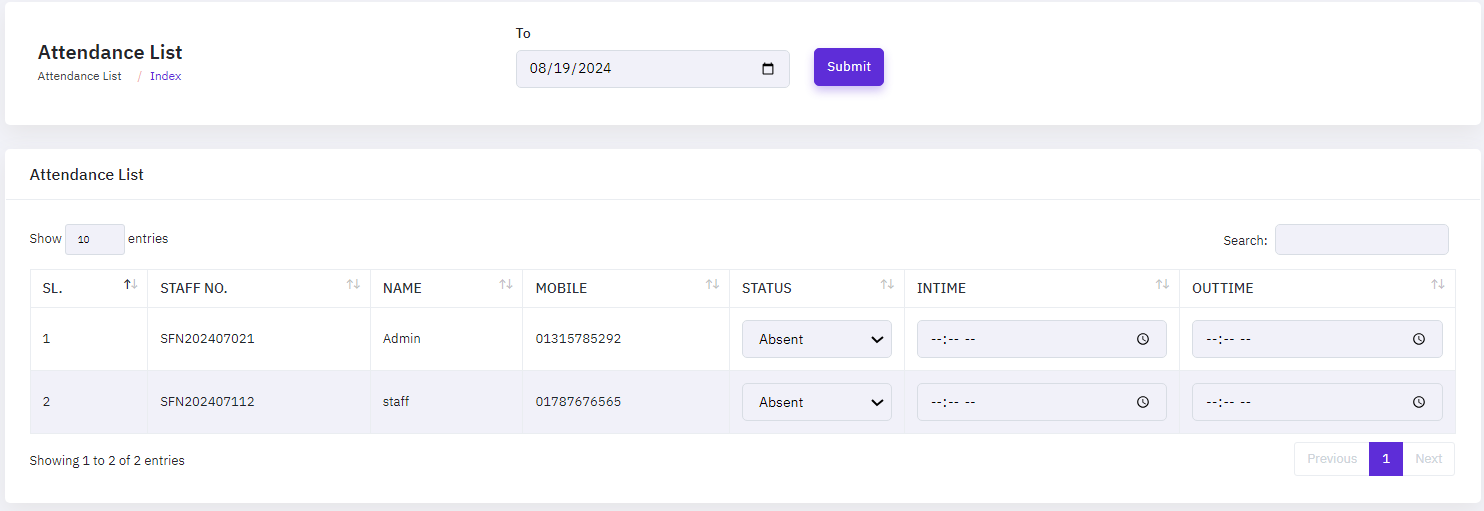
Attendance management in CRM software is critical for maximizing team efficiency and responsibility. This functionality allows organizations to correctly track staff attendance, monitor work hours, and manage leave requests from within the CRM platform. Attendance management is seamlessly integrated with employee data, allowing for real-time tracking of presence and absence patterns, which aids resource allocation and payroll processing. This tool assists organizations in identifying possible concerns, like as absenteeism or punctuality problems, and taking necessary action. Furthermore, the connectivity with other CRM modules guarantees that staff availability is considered when scheduling activities or projects, resulting in better workflow management and overall operational efficiency.
Leave Manage
Leave management in CRM software is essential for optimizing employee leave processes and improving workforce management. This functionality enables firms to conveniently manage leave requests, maintain leave balances, and assure compliance with company standards all from within the CRM platform. By integrating with employee data, leave management creates a centralized system for submitting, reviewing, and approving leave applications in a transparent manner. It also assists HR teams in tracking leave patterns, ensuring that key tasks and projects are not affected by accidental absences. Furthermore, the smooth interface with other CRM modules guarantees that staff availability is considered when planning activities, lowering the risk of resource shortages and increasing overall productivity.
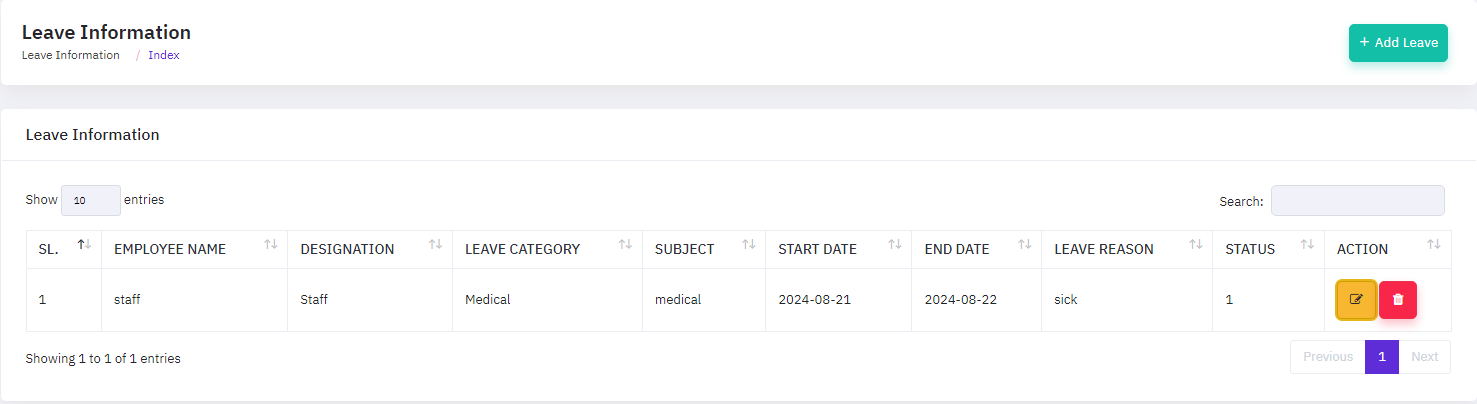
To add a new leave, click the "Add leave" button, which will open a new popup window. On that form, provide the necessary information about the leave, such as employee name,designation,leave category,subject, start date, end date, leave reason, as well as if the call is currently active or inactive.
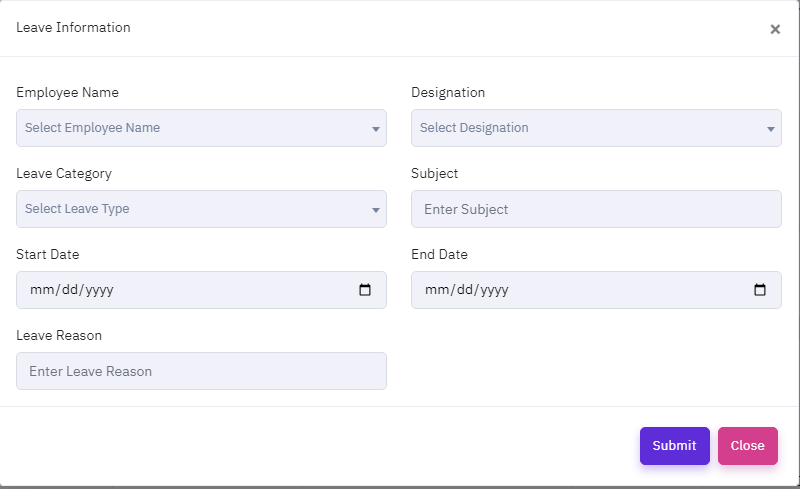
To modify a leave, click the "EDIT ICON ", which will open a new popup window. On that form, enter the update details and then click the update button.
Document Manage
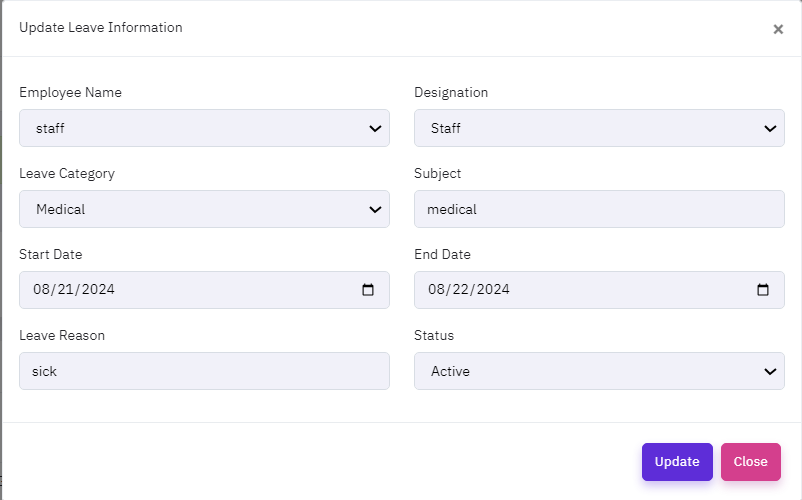
Document management in CRM software is vital for keeping data organized and accessible inside a business. This feature enables businesses to securely store, manage, and retrieve documents right within the CRM platform, ensuring that all critical information, such as contracts, bids, and client correspondence, are centrally located and easily accessible. Document management works smoothly with other CRM modules, allowing you to quickly access essential papers during customer contacts or project management. The system enables version control, ensuring that teams always work with the most recent files, and it lets you to configure permissions to ensure data protection. Furthermore, the search and tagging features allow users to rapidly discover certain documents, increasing productivity and decreasing time spent on administrative activities.
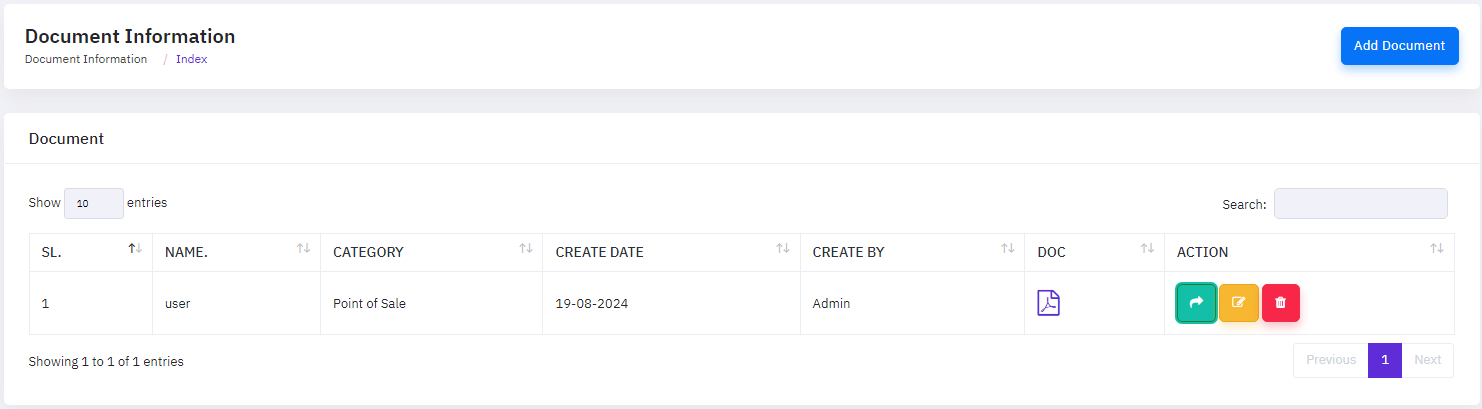
To add a new document, click the "Add documents" button, which will open a new popup window. On that form, provide the necessary information about the documents, such as name,category,description, document upload, meta tag, as well as if the call is currently active or inactive.
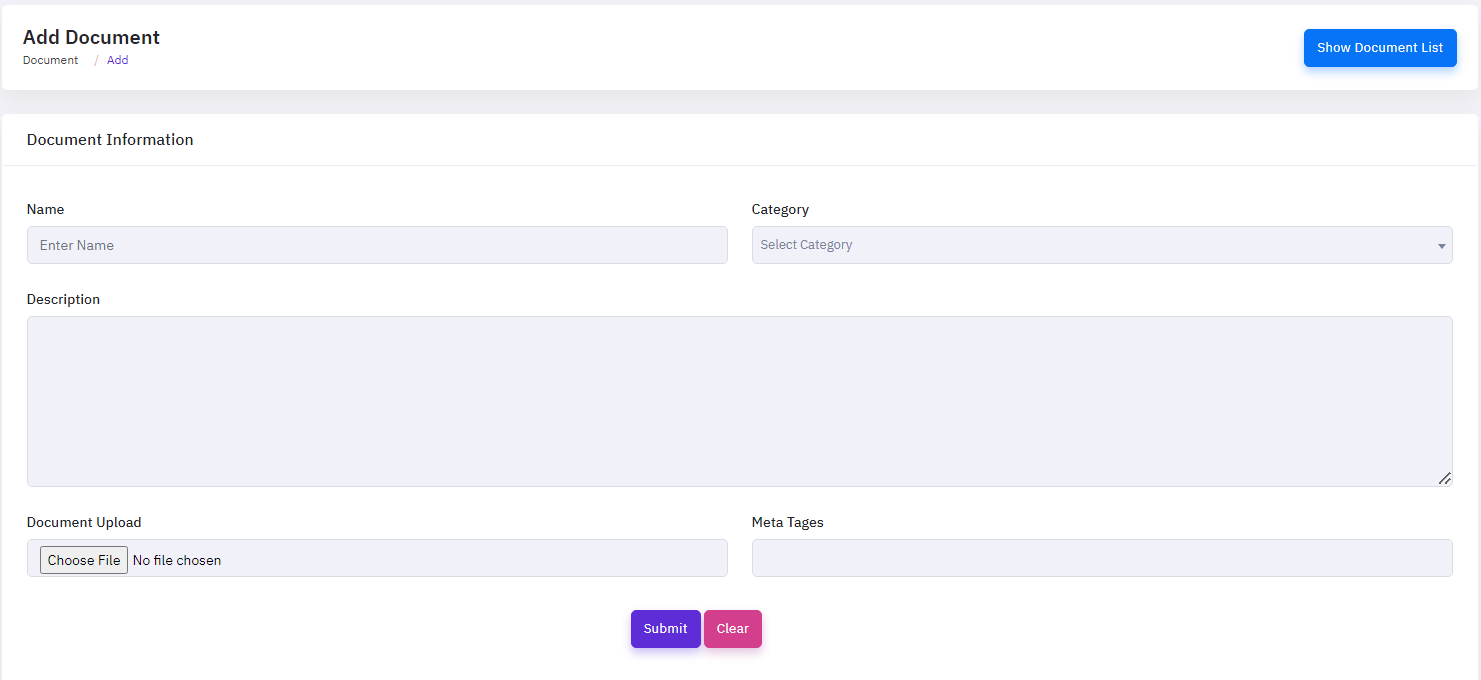
To modify a document, click the "EDIT ICON ", which will open a new popup window. On that form, enter the update details and then click the update button.
Workflow & Finance
Workflow and Finance Management in CRM Software is critical for optimizing business operations and maintaining financial correctness. This tool enables organizations to automate and monitor workflows from project start to finish, all within the CRM platform. By combining workflow management with financial operations, firms can easily track project expenses, manage budgets, and generate financial reports.
Workflow management ensures that activities are assigned, monitored, and performed efficiently, hence decreasing bottlenecks and increasing total productivity. When integrated with financial management, the CRM delivers a complete picture of expenses, revenue, and profit margins. This interface enables real-time budget tracking, ensuring that projects remain within financial limitations. This module is divided into some main submodules:
- Add Project
- Add Task
- Expense Voucher
- Income Voucher
Add Project
Project Add & Manage in CRM software is vital for optimizing project operations and improving team cooperation. This tool allows organizations to easily create, assign, and monitor projects within the CRM platform, ensuring that all tasks are in line with corporate goals. By connecting with other CRM modules, Project Add & Manage provides real-time visibility into project progress, resource allocation, and deadlines, enabling for better decision-making and more effective project execution. It also includes tools for tracking milestones, managing budgets, and creating reports to assist maintain project transparency and accountability. This module enables teams to collaborate, ensuring that projects are finished on time and within scope, resulting in increased business growth and client satisfaction.
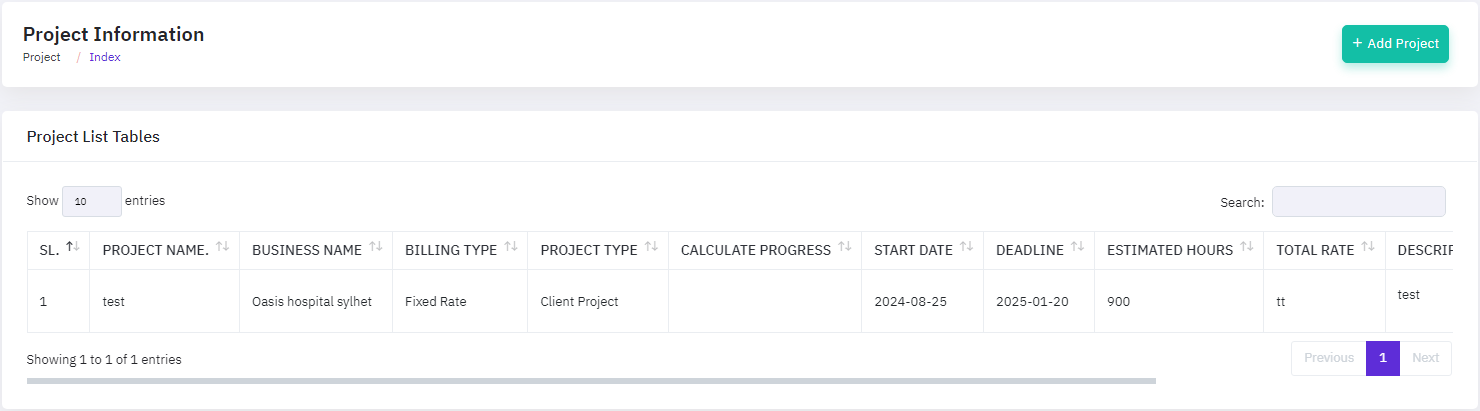
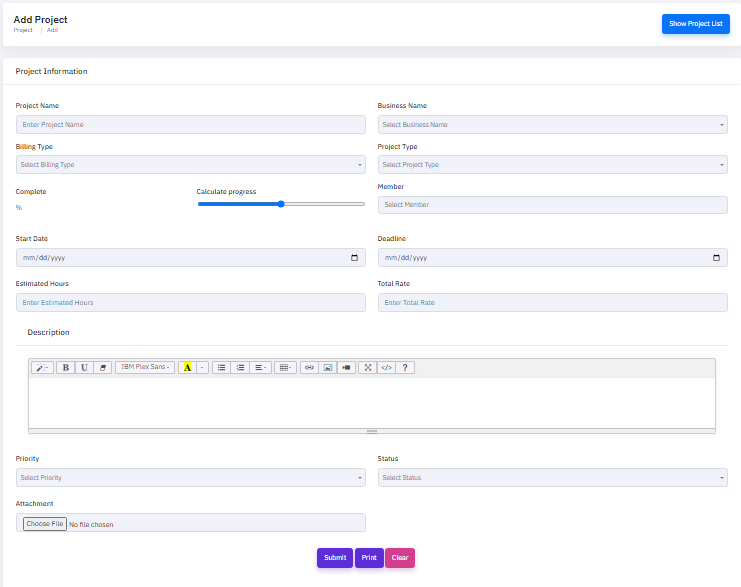
To add a new project, click the "Add project" button, which will open a new popup window. On that form, provide the necessary information about the project, such as name,category,description, project upload, meta tag, as well as if the call is currently active or inactive.
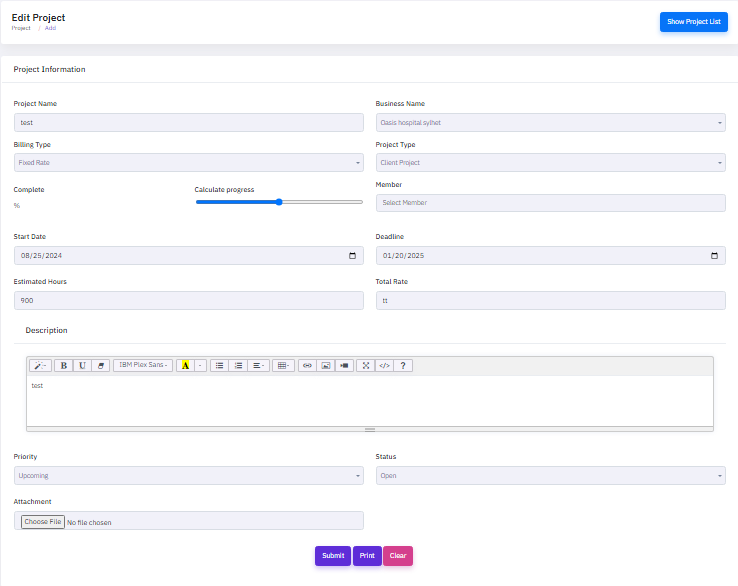
To modify a project, click the "EDIT ICON ", which will open a new popup window. On that form, enter the update details and then click the update button.
Add Task
Task Add & Manage in CRM software is critical for simplifying task organization and increasing team efficiency. This feature enables businesses to simply create, assign, and track tasks within the CRM system, ensuring that each job is consistent with project objectives and company priorities. Task Add & Manage integrates with other CRM modules, providing real-time insights on task progress, resource usage, and deadlines, allowing for more informed decision-making and effective job execution. It provides capabilities for prioritizing tasks, tracking time, and creating reports to ensure openness and accountability. This module enables teams to work effectively together, ensuring tasks are done on schedule and under budget, resulting in project success and client pleasure.
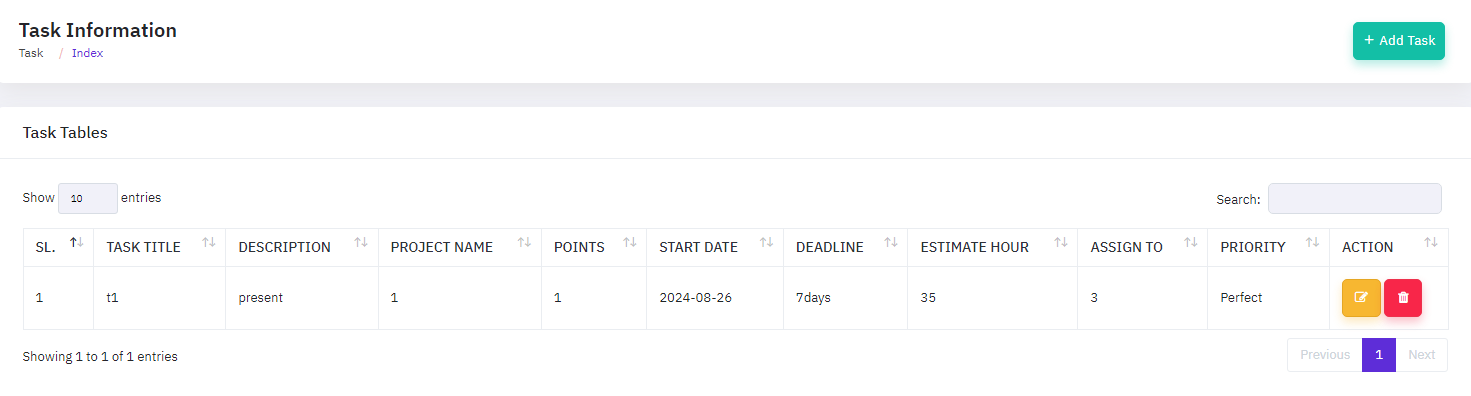
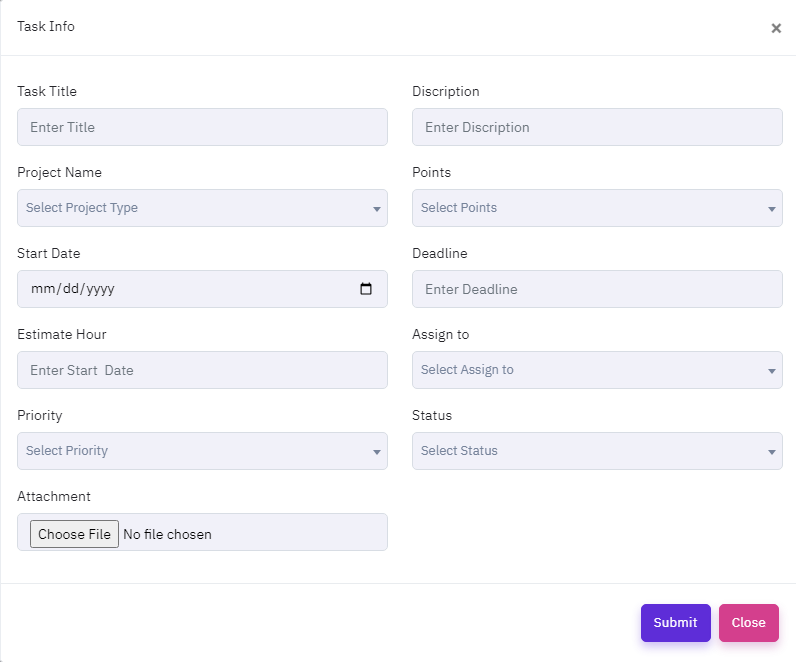
To add a new task, click the "Add Task" button, which will open a new popup window. On that form, provide the necessary information about the task, such as task title, project name,start date,estimate hours, priority, description,point, deadline, assign to, status, attachment as well as if the task is currently active or inactive.
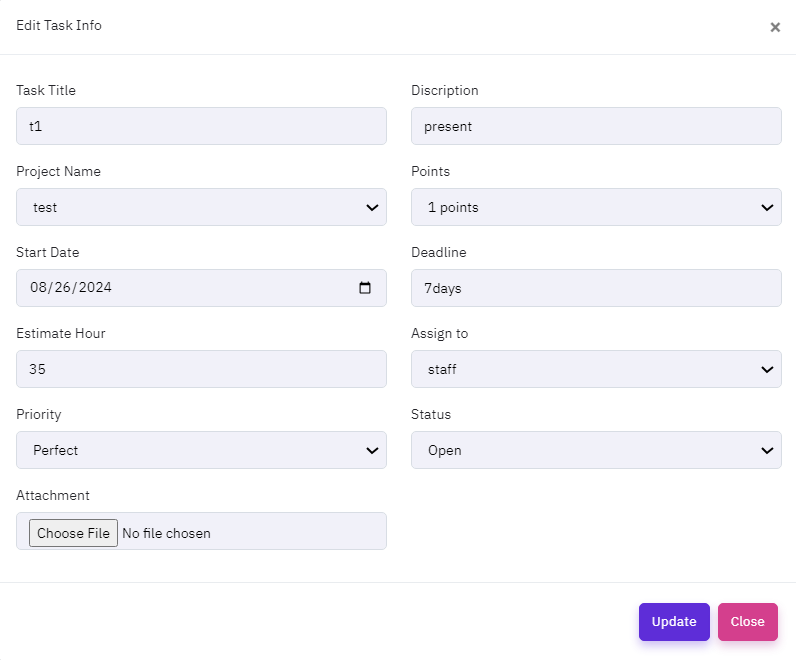
To modify a task, click the "EDIT ICON ", which will open a new popup window. On that form, enter the update details and then click the update button.
Expense Voucher
using Voucher Management in CRM software is critical for keeping correct financial records and optimizing spending tracking during a project. This tool enables enterprises to conveniently create, submit, and approve expenditure vouchers straight from the CRM platform, ensuring that all project-related expenses are tracked and reimbursed on time. By integrating with other CRM modules, Expense Voucher Manage delivers real-time insights into project budgets, spending trends, and financial compliance, allowing for better cost control and financial planning. It also includes options for categorizing costs, attaching receipts, and creating thorough reports to assist preserve transparency and accountability. This module ensures that financial processes are efficient and well-documented, resulting in better project management and financial supervision.
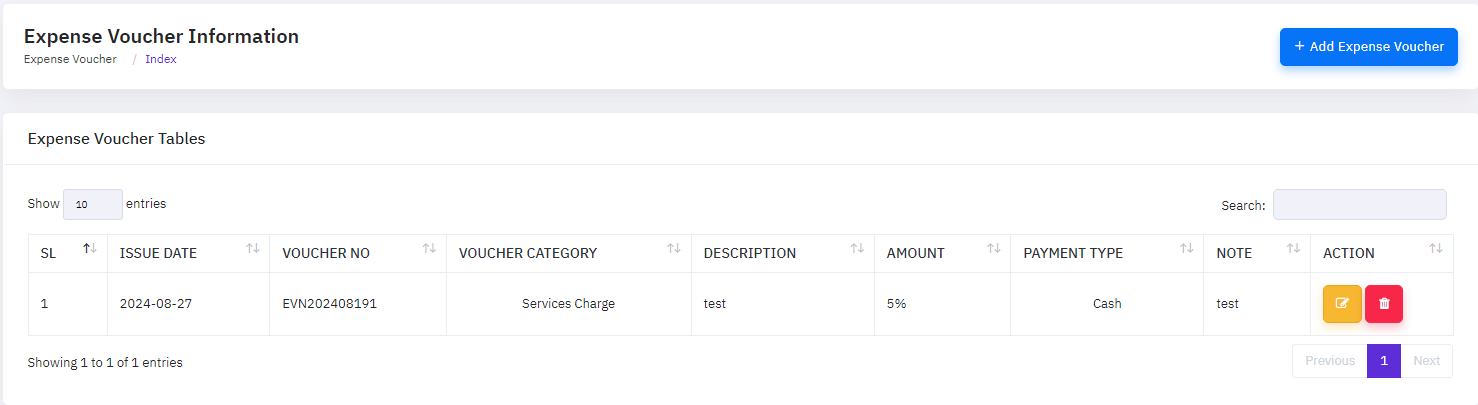
To add a new expense, click the "Add Expense Voucher" button, which will open a new popup window. On that form, provide the necessary information about the expense, such as issues date, expense voucher no,voucher category,description, amount, payment type,note, as well as if the expense is currently active or inactive.
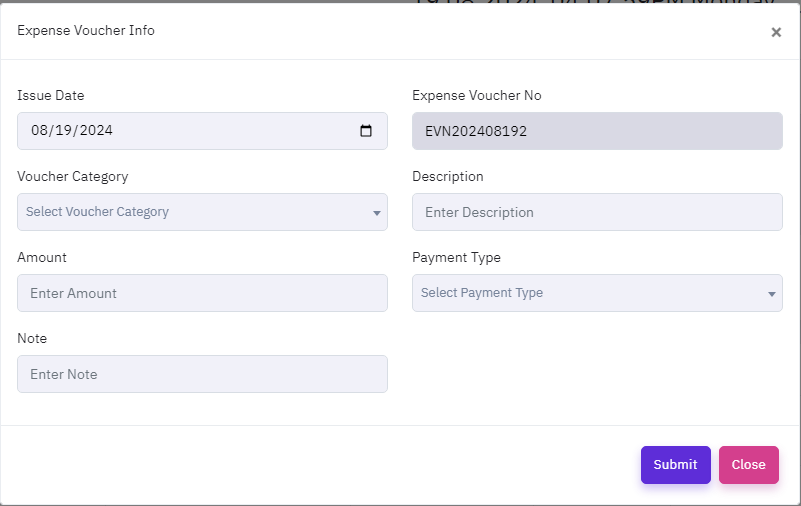
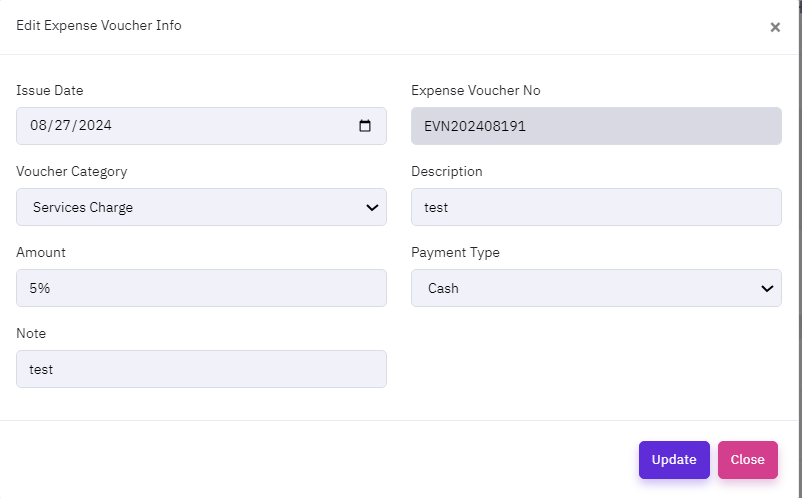
To modify a expense, click the "EDIT ICON ", which will open a new popup window. On that form, enter the update details and then click the update button.
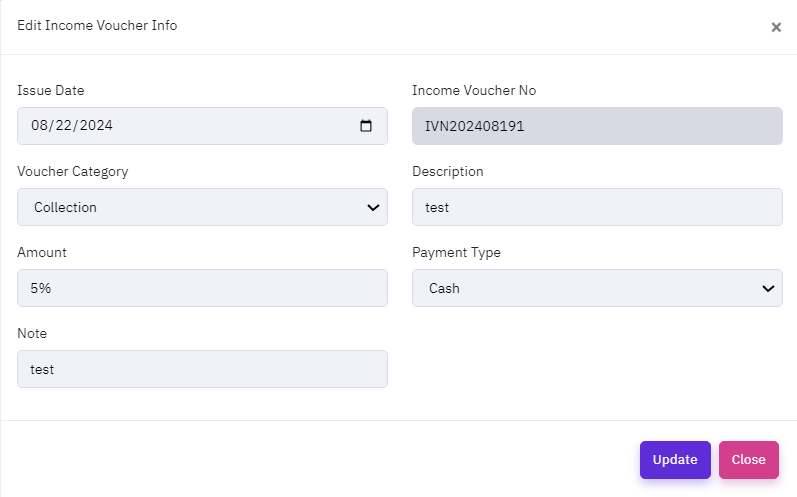
Income Voucher
Income Voucher Management in CRM software is critical for tracking and documenting all income transactions within a project. This functionality enables businesses to generate, submit, and approve income vouchers straight from the CRM platform, ensuring that all project-related income is properly documented. Income Voucher Manage, which integrates with other CRM modules, provides real-time visibility into revenue streams, allowing enterprises to monitor financial health and maintain compliance with financial requirements. The function also contains capabilities for identifying income sources, attaching documents, and creating thorough reports. This promotes openness in income management, accurate financial forecasting, and improved overall project management by offering clear insights into the financial contributions of various project activities.
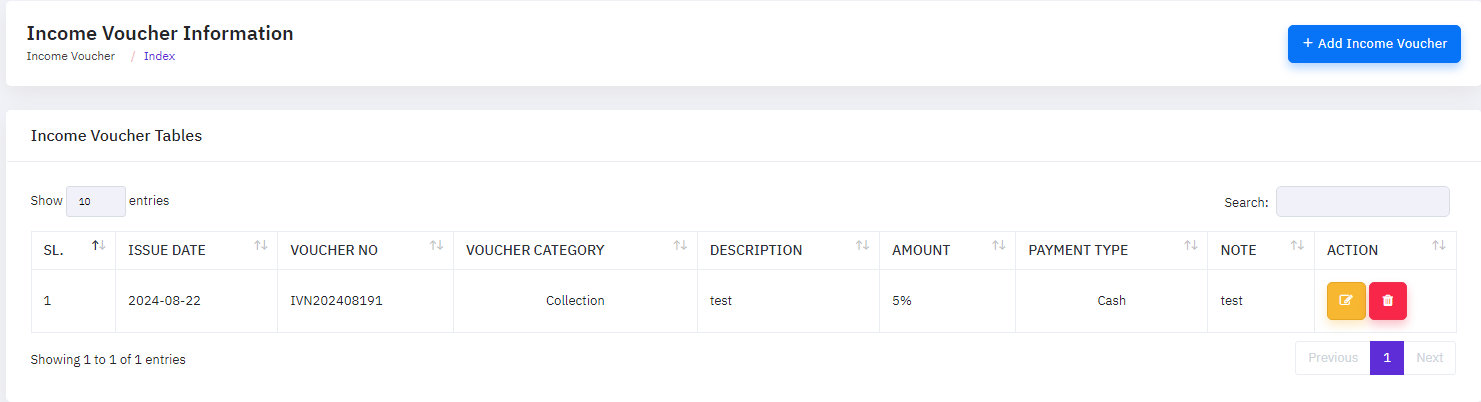
To add a new income, click the "Add Income Voucher" button, which will open a new popup window. On that form, provide the necessary information about the income, such as task title, project name,start date,estimate hours, priority, description,point, deadline, assign to, status, attachment as well as if the task is currently active or inactive.
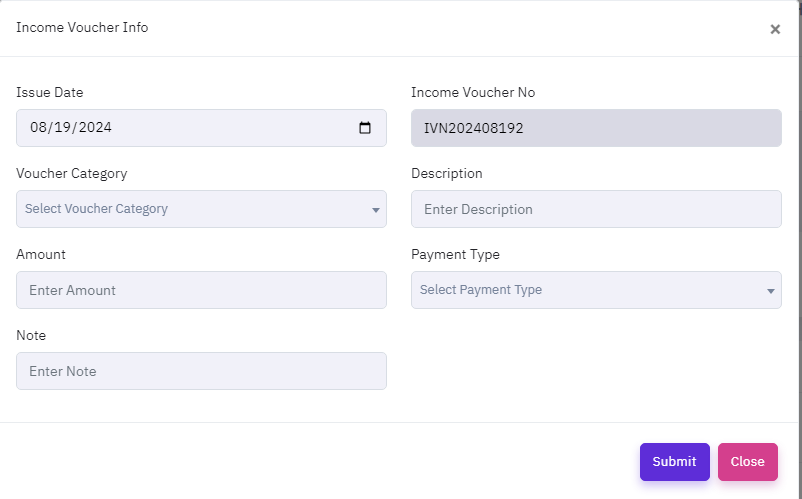
To modify a task, click the "EDIT ICON ", which will open a new popup window. On that form, enter the update details and then click the update button.
Reports
For appropriate business analysis and decision-making, the system offers managers and business owners a variety of business reports. The system generates the following primary reports:
- Sales Marketing
- Customer Report
- Lead Report
- Meeting Report
- Call Report
- Email Report
- Order Management
- Proposal Report
- Invoice Report
- Subscription Report
- Collection Report
- HR & Payroll
- Applicant Report
- Monthly Attendances Summary Report
- Leave Report
- Salary Report
- Workflow & Finance
- Project Report
- Task Report
- Expanse Report
- Income Report
FAQ
A FAQ is a list of frequently asked questions (FAQs) and answers on a particular topic.
Credits & Resource
- Each code is considered property for the Creative software. The project will be delivered to clients for uses only.
- This project is not marketable and can only be used. If proof of sale is found, you can take action in accordance with the software law.
- © 2024 Creative Software. All Rights Reserved.
Support
This Service maintenance will cover following services:
- Online Training
- Online Support
- Pay to visit and get support